Сценарий: Использовать CSS свойство display: none и display: block для переключения состояний в SVG.
Ссылка на ресурсы документации: https://disk.yandex.ru/d/YkDc6mWTXxnPOw
Примечание: Для удобства некоторые пункты вынесены в отдельные подразделы.
Небольшое описание:
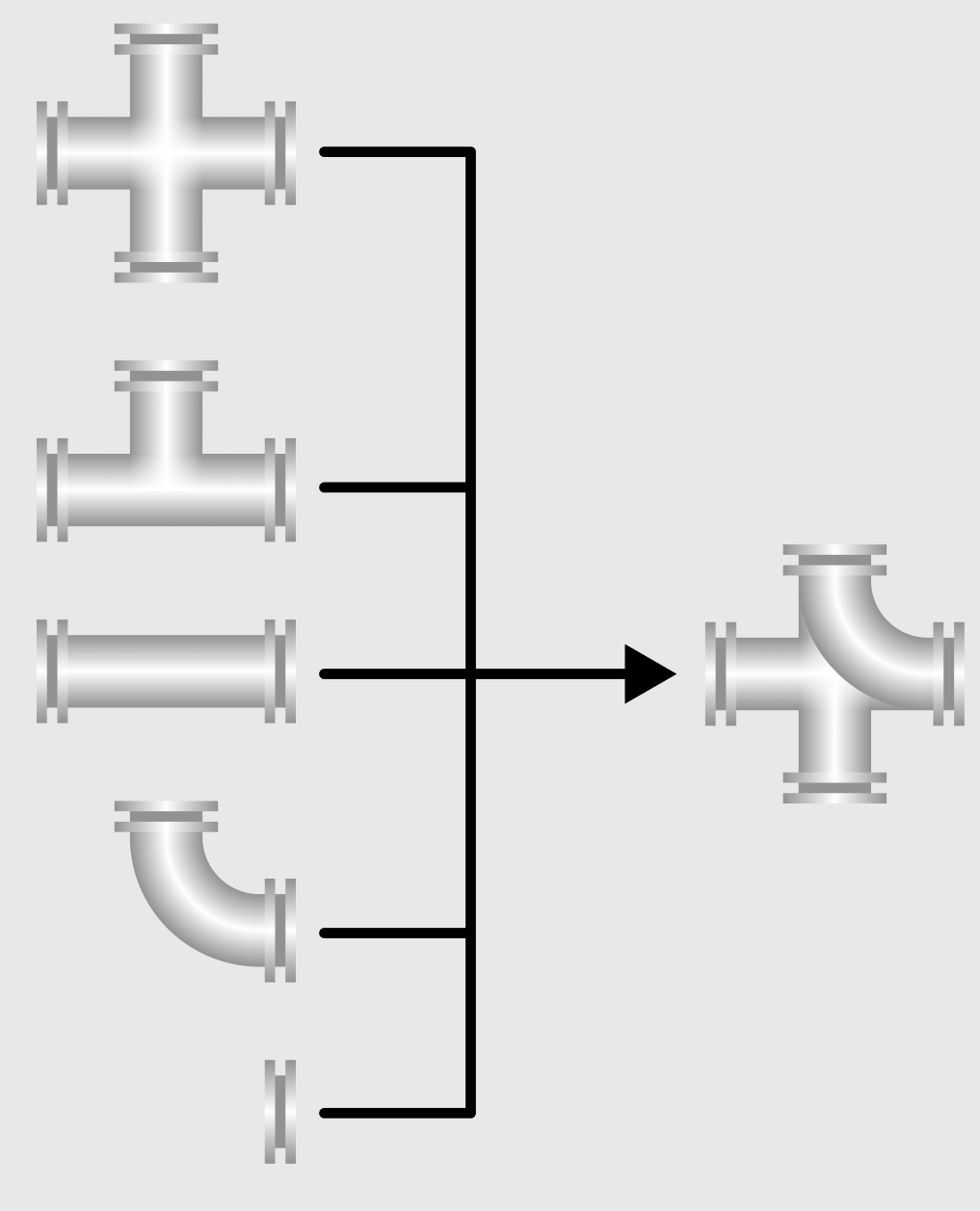
•Для SVG необходимо создать 5 фигур: Четверник, тройник, горизонтальную и угловую трубу и фланцы.
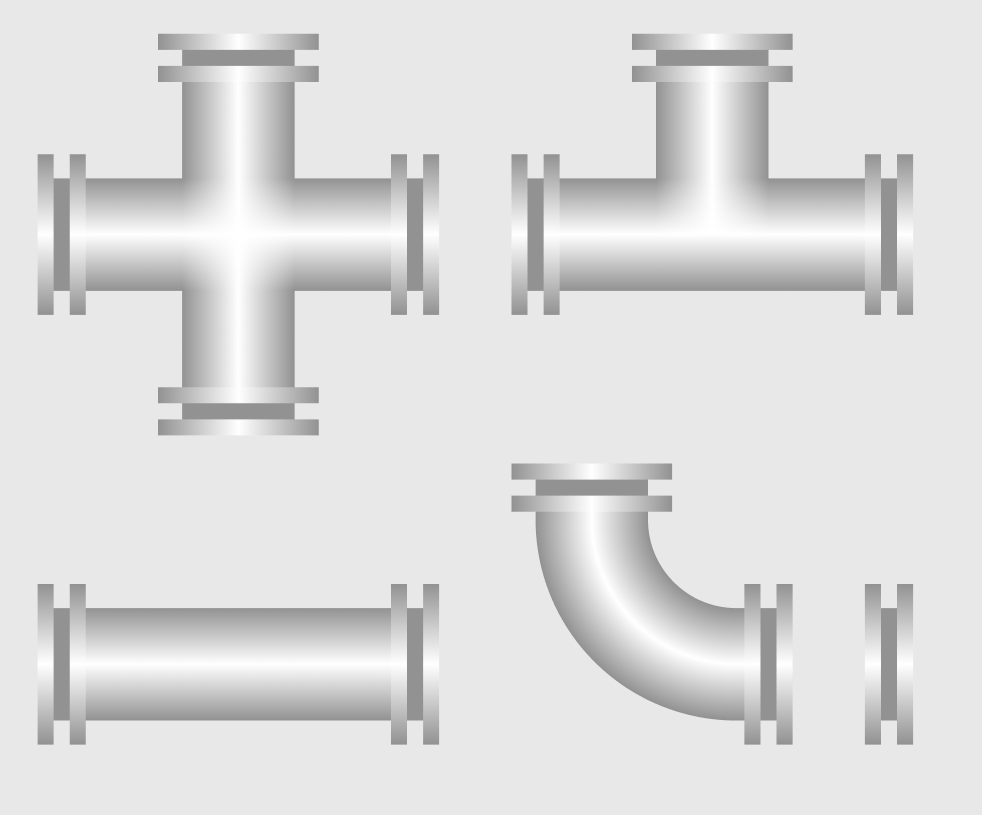
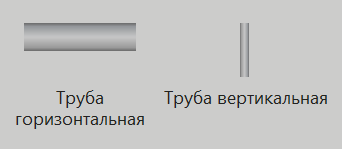
Примечание: Не обязательно создавать развёрнутый дубликат под каждую фигуру, как это сделано сейчас в палитре MasterSCADA 4D:
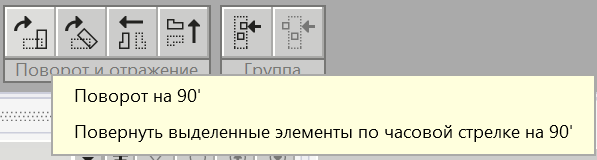
Для поворота воспользуемся инструментами MasterSCADA 4D в верхней панели инструментов:
•Далее нужно разместить все готовые фигуры в одну SVG и создать динамизацию с помощью XML, чтобы с помощью выпадающего списка отображать ту или иную фигуру.
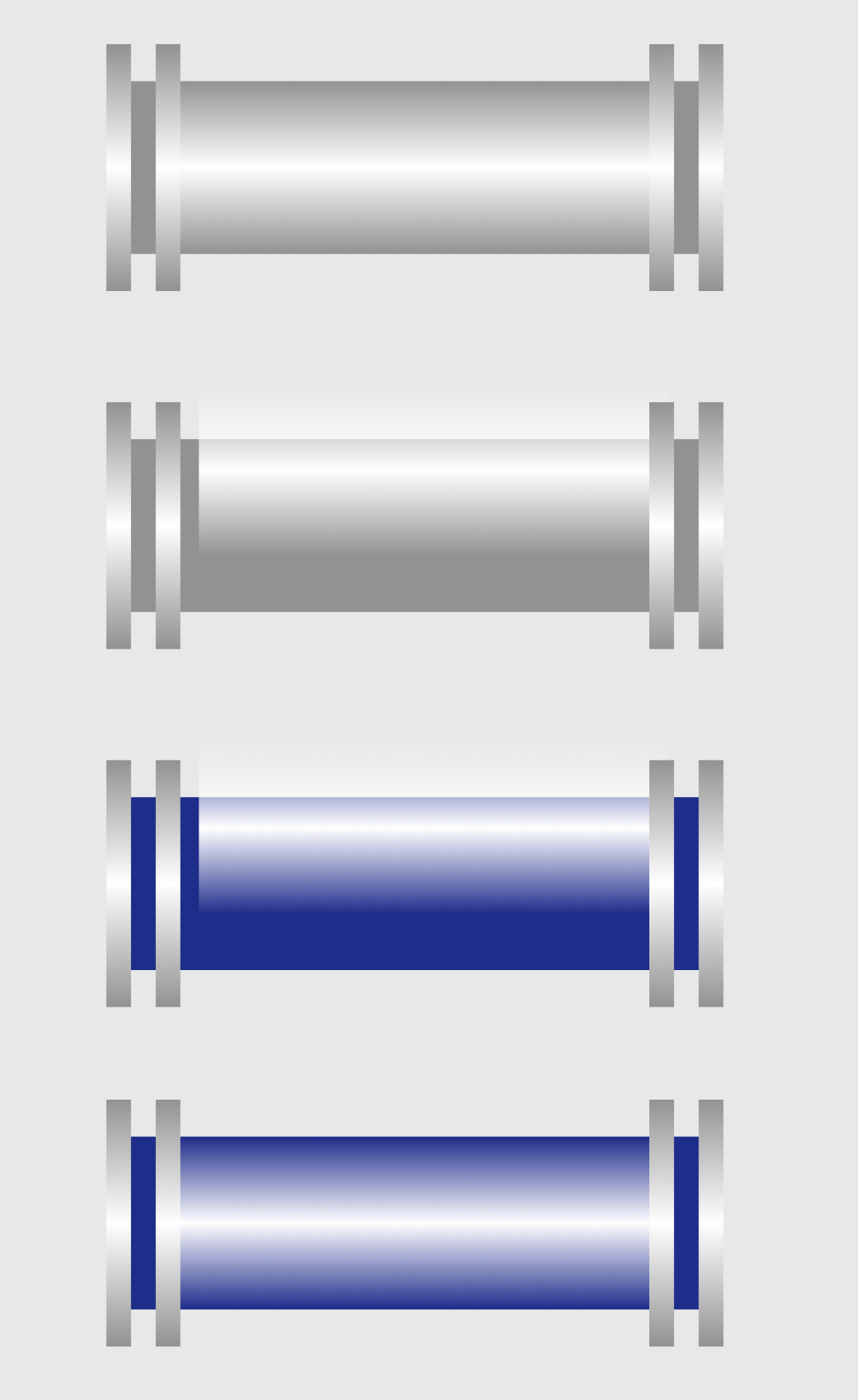
•Также воспользуемся сценарием из раздела Имитация градиента при помощи слоя непрозрачности, чтобы можно было изменить цвет трубы.
Сценарий:
1.Создадим и разместим фигуры:
b.Создание Горизонтальной трубы;
f.Объединим все фигуры в одну:
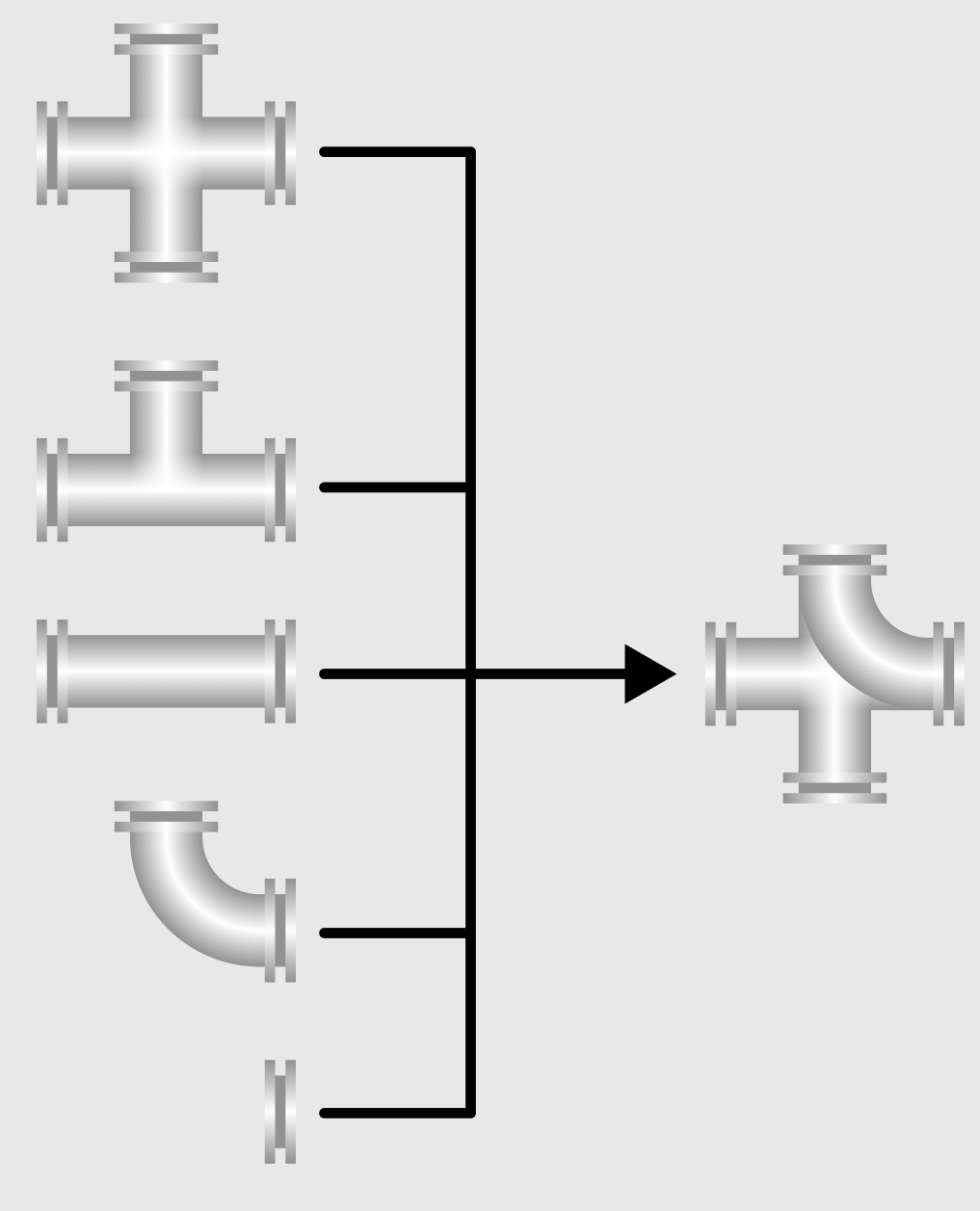
g.Назовем группу "pipeline_icon":
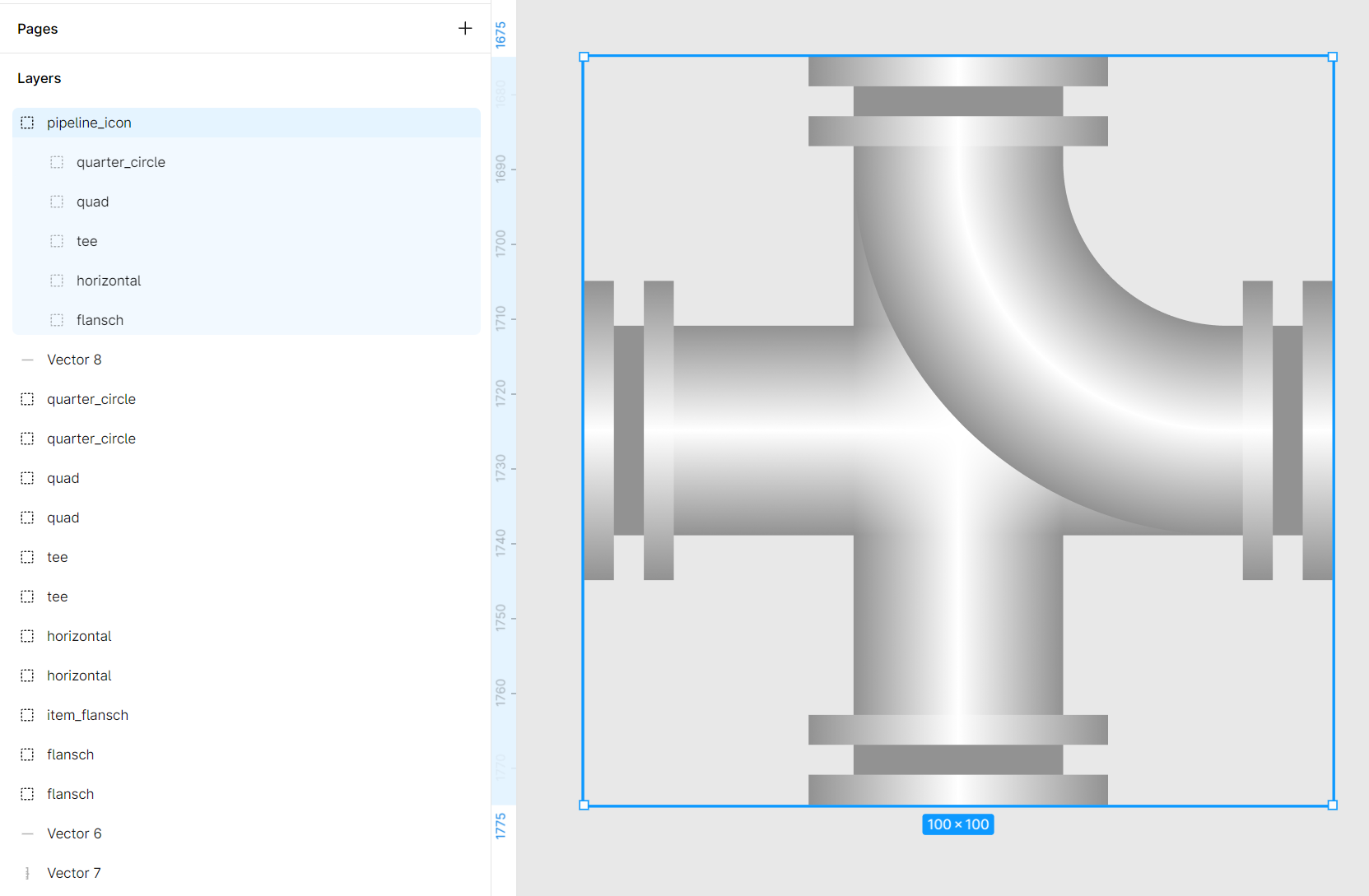
h.SVG готов. При экспорте из Figma следует активировать чекбокс Include 'id' attribute. Данный чекбокс при экспорте выставит id всем SVG элементам.
2.Откроем код SVG:

<svg width="100" height="100" viewBox="0 0 100 100" fill="none" xmlns="http://www.w3.org/2000/svg"> <g id="pipeline_icon"> <g id="flansch"> <path id="change_color" d="M92 36H96V64H92V36Z" fill="#929292"/> <path id="Subtract" fill-rule="evenodd" clip-rule="evenodd" d="M92 30H88V70H92V30ZM96 30V70H100V30H96Z" fill="#929292"/> <path id="Subtract_2" fill-rule="evenodd" clip-rule="evenodd" d="M92 30H88V70H92V30ZM96 30V70H100V30H96Z" fill="url(#paint0_linear_14200_129525)"/> </g> <g id="horizontal"> <rect id="change_color_2" y="36" width="100" height="28" fill="#929292"/> <rect id="Rectangle 41" x="12" y="36" width="76" height="28" fill="url(#paint1_linear_14200_129525)"/> <g id="item_flansch"> <path id="Subtract_3" fill-rule="evenodd" clip-rule="evenodd" d="M4 30H0V70H4V30ZM8 30V70H12V30H8Z" fill="#929292"/> <path id="Subtract_4" fill-rule="evenodd" clip-rule="evenodd" d="M4 30H0V70H4V30ZM8 30V70H12V30H8Z" fill="url(#paint2_linear_14200_129525)"/> </g> <g id="item_flansch_2"> <path id="Subtract_5" fill-rule="evenodd" clip-rule="evenodd" d="M92 30H88V70H92V30ZM96 30V70H100V30H96Z" fill="#929292"/> <path id="Subtract_6" fill-rule="evenodd" clip-rule="evenodd" d="M92 30H88V70H92V30ZM96 30V70H100V30H96Z" fill="url(#paint3_linear_14200_129525)"/> </g> </g> <g id="tee"> <path id="change_color_3" d="M64 0H36V36H0V64H100V36H64V0Z" fill="#929292"/> <rect id="Rectangle 41_2" x="12" y="36" width="76" height="28" fill="url(#paint4_linear_14200_129525)"/> <rect id="Rectangle 43" x="36" y="50" width="38" height="28" transform="rotate(-90 36 50)" fill="url(#paint5_linear_14200_129525)"/> <g id="item_flansch_3"> <path id="Subtract_7" fill-rule="evenodd" clip-rule="evenodd" d="M4 30H0V70H4V30ZM8 30V70H12V30H8Z" fill="#929292"/> <path id="Subtract_8" fill-rule="evenodd" clip-rule="evenodd" d="M4 30H0V70H4V30ZM8 30V70H12V30H8Z" fill="url(#paint6_linear_14200_129525)"/> </g> <g id="item_flansch_4"> <path id="Subtract_9" fill-rule="evenodd" clip-rule="evenodd" d="M92 30H88V70H92V30ZM96 30V70H100V30H96Z" fill="#929292"/> <path id="Subtract_10" fill-rule="evenodd" clip-rule="evenodd" d="M92 30H88V70H92V30ZM96 30V70H100V30H96Z" fill="url(#paint7_linear_14200_129525)"/> </g> <g id="item_flansch_5"> <path id="Subtract_11" fill-rule="evenodd" clip-rule="evenodd" d="M70 4L70 0L30 -1.74846e-06L30 4L70 4ZM70 8L30 8L30 12L70 12L70 8Z" fill="#929292"/> <path id="Subtract_12" fill-rule="evenodd" clip-rule="evenodd" d="M70 4L70 0L30 -1.74846e-06L30 4L70 4ZM70 8L30 8L30 12L70 12L70 8Z" fill="url(#paint8_linear_14200_129525)"/> </g> </g> <g id="quad"> <path id="change_color_4" d="M36 0H64V36H100V64H64V100H36V64H0V36H36V0Z" fill="#929292"/> <rect id="Rectangle 41_3" x="12" y="36" width="76" height="28" fill="url(#paint9_linear_14200_129525)"/> <rect id="Rectangle 43_2" x="36" y="50" width="38" height="28" transform="rotate(-90 36 50)" fill="url(#paint10_linear_14200_129525)"/> <rect id="Rectangle 44" x="36" y="88" width="38" height="28" transform="rotate(-90 36 88)" fill="url(#paint11_linear_14200_129525)"/> <g id="item_flansch_6"> <path id="Subtract_13" fill-rule="evenodd" clip-rule="evenodd" d="M4 30H0V70H4V30ZM8 30V70H12V30H8Z" fill="#929292"/> <path id="Subtract_14" fill-rule="evenodd" clip-rule="evenodd" d="M4 30H0V70H4V30ZM8 30V70H12V30H8Z" fill="url(#paint12_linear_14200_129525)"/> </g> <g id="item_flansch_7"> <path id="Subtract_15" fill-rule="evenodd" clip-rule="evenodd" d="M92 30H88V70H92V30ZM96 30V70H100V30H96Z" fill="#929292"/> <path id="Subtract_16" fill-rule="evenodd" clip-rule="evenodd" d="M92 30H88V70H92V30ZM96 30V70H100V30H96Z" fill="url(#paint13_linear_14200_129525)"/> </g> <g id="item_flansch_8"> <path id="Subtract_17" fill-rule="evenodd" clip-rule="evenodd" d="M70 4L70 0L30 -1.74846e-06L30 4L70 4ZM70 8L30 8L30 12L70 12L70 8Z" fill="#929292"/> <path id="Subtract_18" fill-rule="evenodd" clip-rule="evenodd" d="M70 4L70 0L30 -1.74846e-06L30 4L70 4ZM70 8L30 8L30 12L70 12L70 8Z" fill="url(#paint14_linear_14200_129525)"/> </g> <g id="item_flansch_9"> <path id="Subtract_19" fill-rule="evenodd" clip-rule="evenodd" d="M70 92L70 88L30 88L30 92L70 92ZM70 96L30 96L30 100L70 100L70 96Z" fill="#929292"/> <path id="Subtract_20" fill-rule="evenodd" clip-rule="evenodd" d="M70 92L70 88L30 88L30 92L70 92ZM70 96L30 96L30 100L70 100L70 96Z" fill="url(#paint15_linear_14200_129525)"/> </g> </g> <g id="quarter_circle"> <path id="change_color_5" d="M64 0V14C64 26.1501 73.8499 36 86 36H100V64H86C72.7393 64 60.0215 58.7322 50.6448 49.3552C41.2678 39.9785 36 27.2607 36 14V0H64Z" fill="#929292"/> <path id="Subtract_21" fill-rule="evenodd" clip-rule="evenodd" d="M64 14L36 14C36 27.2608 41.2678 39.9785 50.6447 49.3553C60.0215 58.7322 72.7392 64 86 64L86 36C73.8497 36 64 26.1503 64 14Z" fill="url(#paint16_radial_14200_129525)"/> <rect id="Rectangle 45" x="86" y="36" width="2" height="28" fill="url(#paint17_linear_14200_129525)"/> <rect id="Rectangle 46" x="64" y="12" width="2" height="28" transform="rotate(90 64 12)" fill="url(#paint18_linear_14200_129525)"/> <g id="item_flansch_10"> <path id="Subtract_22" fill-rule="evenodd" clip-rule="evenodd" d="M92 30H88V70H92V30ZM96 30V70H100V30H96Z" fill="#929292"/> <path id="Subtract_23" fill-rule="evenodd" clip-rule="evenodd" d="M92 30H88V70H92V30ZM96 30V70H100V30H96Z" fill="url(#paint19_linear_14200_129525)"/> </g> <g id="item_flansch_11"> <path id="Subtract_24" fill-rule="evenodd" clip-rule="evenodd" d="M70 4L70 0L30 -1.74846e-06L30 4L70 4ZM70 8L30 8L30 12L70 12L70 8Z" fill="#929292"/> <path id="Subtract_25" fill-rule="evenodd" clip-rule="evenodd" d="M70 4L70 0L30 -1.74846e-06L30 4L70 4ZM70 8L30 8L30 12L70 12L70 8Z" fill="url(#paint20_linear_14200_129525)"/> </g> </g> </g> <defs> <linearGradient id="paint0_linear_14200_129525" x1="94" y1="30" x2="94" y2="70" gradientUnits="userSpaceOnUse"> <stop stop-color="white" stop-opacity="0"/> <stop offset="0.5" stop-color="white"/> <stop offset="1" stop-color="white" stop-opacity="0"/> </linearGradient> <linearGradient id="paint1_linear_14200_129525" x1="50" y1="36" x2="50" y2="64" gradientUnits="userSpaceOnUse"> <stop stop-color="white" stop-opacity="0"/> <stop offset="0.5" stop-color="white"/> <stop offset="1" stop-color="white" stop-opacity="0"/> </linearGradient> <linearGradient id="paint2_linear_14200_129525" x1="6" y1="30" x2="6" y2="70" gradientUnits="userSpaceOnUse"> <stop stop-color="white" stop-opacity="0"/> <stop offset="0.5" stop-color="white"/> <stop offset="1" stop-color="white" stop-opacity="0"/> </linearGradient> <linearGradient id="paint3_linear_14200_129525" x1="94" y1="30" x2="94" y2="70" gradientUnits="userSpaceOnUse"> <stop stop-color="white" stop-opacity="0"/> <stop offset="0.5" stop-color="white"/> <stop offset="1" stop-color="white" stop-opacity="0"/> </linearGradient> <linearGradient id="paint4_linear_14200_129525" x1="50" y1="36" x2="50" y2="64" gradientUnits="userSpaceOnUse"> <stop stop-color="white" stop-opacity="0"/> <stop offset="0.5" stop-color="white"/> <stop offset="1" stop-color="white" stop-opacity="0"/> </linearGradient> <linearGradient id="paint5_linear_14200_129525" x1="55" y1="50" x2="55" y2="78" gradientUnits="userSpaceOnUse"> <stop stop-color="white" stop-opacity="0"/> <stop offset="0.5" stop-color="white"/> <stop offset="1" stop-color="white" stop-opacity="0"/> </linearGradient> <linearGradient id="paint6_linear_14200_129525" x1="6" y1="30" x2="6" y2="70" gradientUnits="userSpaceOnUse"> <stop stop-color="white" stop-opacity="0"/> <stop offset="0.5" stop-color="white"/> <stop offset="1" stop-color="white" stop-opacity="0"/> </linearGradient> <linearGradient id="paint7_linear_14200_129525" x1="94" y1="30" x2="94" y2="70" gradientUnits="userSpaceOnUse"> <stop stop-color="white" stop-opacity="0"/> <stop offset="0.5" stop-color="white"/> <stop offset="1" stop-color="white" stop-opacity="0"/> </linearGradient> <linearGradient id="paint8_linear_14200_129525" x1="70" y1="6" x2="30" y2="6" gradientUnits="userSpaceOnUse"> <stop stop-color="white" stop-opacity="0"/> <stop offset="0.5" stop-color="white"/> <stop offset="1" stop-color="white" stop-opacity="0"/> </linearGradient> <linearGradient id="paint9_linear_14200_129525" x1="50" y1="36" x2="50" y2="64" gradientUnits="userSpaceOnUse"> <stop stop-color="white" stop-opacity="0"/> <stop offset="0.5" stop-color="white"/> <stop offset="1" stop-color="white" stop-opacity="0"/> </linearGradient> <linearGradient id="paint10_linear_14200_129525" x1="55" y1="50" x2="55" y2="78" gradientUnits="userSpaceOnUse"> <stop stop-color="white" stop-opacity="0"/> <stop offset="0.5" stop-color="white"/> <stop offset="1" stop-color="white" stop-opacity="0"/> </linearGradient> <linearGradient id="paint11_linear_14200_129525" x1="55" y1="88" x2="55" y2="116" gradientUnits="userSpaceOnUse"> <stop stop-color="white" stop-opacity="0"/> <stop offset="0.5" stop-color="white"/> <stop offset="1" stop-color="white" stop-opacity="0"/> </linearGradient> <linearGradient id="paint12_linear_14200_129525" x1="6" y1="30" x2="6" y2="70" gradientUnits="userSpaceOnUse"> <stop stop-color="white" stop-opacity="0"/> <stop offset="0.5" stop-color="white"/> <stop offset="1" stop-color="white" stop-opacity="0"/> </linearGradient> <linearGradient id="paint13_linear_14200_129525" x1="94" y1="30" x2="94" y2="70" gradientUnits="userSpaceOnUse"> <stop stop-color="white" stop-opacity="0"/> <stop offset="0.5" stop-color="white"/> <stop offset="1" stop-color="white" stop-opacity="0"/> </linearGradient> <linearGradient id="paint14_linear_14200_129525" x1="70" y1="6" x2="30" y2="6" gradientUnits="userSpaceOnUse"> <stop stop-color="white" stop-opacity="0"/> <stop offset="0.5" stop-color="white"/> <stop offset="1" stop-color="white" stop-opacity="0"/> </linearGradient> <linearGradient id="paint15_linear_14200_129525" x1="70" y1="94" x2="30" y2="94" gradientUnits="userSpaceOnUse"> <stop stop-color="white" stop-opacity="0"/> <stop offset="0.5" stop-color="white"/> <stop offset="1" stop-color="white" stop-opacity="0"/> </linearGradient> <radialGradient id="paint16_radial_14200_129525" cx="0" cy="0" r="1" gradientUnits="userSpaceOnUse" gradientTransform="translate(86 14) rotate(90) scale(50)"> <stop offset="0.44" stop-color="white" stop-opacity="0"/> <stop offset="0.72" stop-color="white"/> <stop offset="1" stop-color="white" stop-opacity="0"/> </radialGradient> <linearGradient id="paint17_linear_14200_129525" x1="87" y1="36" x2="87" y2="64" gradientUnits="userSpaceOnUse"> <stop stop-color="white" stop-opacity="0"/> <stop offset="0.5" stop-color="white"/> <stop offset="1" stop-color="white" stop-opacity="0"/> </linearGradient> <linearGradient id="paint18_linear_14200_129525" x1="65" y1="12" x2="65" y2="40" gradientUnits="userSpaceOnUse"> <stop stop-color="white" stop-opacity="0"/> <stop offset="0.5" stop-color="white"/> <stop offset="1" stop-color="white" stop-opacity="0"/> </linearGradient> <linearGradient id="paint19_linear_14200_129525" x1="94" y1="30" x2="94" y2="70" gradientUnits="userSpaceOnUse"> <stop stop-color="white" stop-opacity="0"/> <stop offset="0.5" stop-color="white"/> <stop offset="1" stop-color="white" stop-opacity="0"/> </linearGradient> <linearGradient id="paint20_linear_14200_129525" x1="70" y1="6" x2="30" y2="6" gradientUnits="userSpaceOnUse"> <stop stop-color="white" stop-opacity="0"/> <stop offset="0.5" stop-color="white"/> <stop offset="1" stop-color="white" stop-opacity="0"/> </linearGradient> </defs> </svg> |
3.Первым этапом подготовки SVG нужно с помощью CSS настроить отображение той или иной фигуры.
Как по итогу данный подход будет работать в SVG?
Пример: У нас есть три фигуры А, Б и В. Нужно отображать конкретную фигуру.
Чтобы этого добиться нужно создать селектор CSS следующим образом:
a.Пришел сигнал показать фигуру А:
•Фигуру А - показать.
•Фигуру Б - скрыть.
•Фигуру В - скрыть.
b.Пришел сигнал показать фигуру Б:
•Фигуру А - скрыть.
•Фигуру Б - показать.
•Фигуру В - скрыть.
c.Пришел сигнал показать фигуру В:
•Фигуру А - скрыть.
•Фигуру Б - скрыть.
•Фигуру В - показать.
То есть в CSS при каждом сигнале необходимо указывать, какие фигуры скрыть, а какие показать.
4.Добавим в SVG тег style с экранированием CDATA:
<svg width="100" height="100" viewBox="0 0 100 100" fill="none" xmlns="http://www.w3.org/2000/svg"> <style type="text/css"><![CDATA[
/* Здесь ваш CSS код */
]]> </style> <g id="pipeline_icon"> <g id="flansch"> <path id="change_color" d="M92 36H96V64H92V36Z" fill="#929292"/> <path id="Subtract" fill-rule="evenodd" clip-rule="evenodd" d="M92 30H88V70H92V30ZM96 30V70H100V30H96Z" fill="#929292"/> <path id="Subtract_2" fill-rule="evenodd" clip-rule="evenodd" d="M92 30H88V70H92V30ZM96 30V70H100V30H96Z" fill="url(#paint0_linear_14200_129525)"/> </g> <g id="horizontal"> <rect id="change_color_2" y="36" width="100" height="28" fill="#929292"/> <rect id="Rectangle 41" x="12" y="36" width="76" height="28" fill="url(#paint1_linear_14200_129525)"/> <g id="item_flansch"> <path id="Subtract_3" fill-rule="evenodd" clip-rule="evenodd" d="M4 30H0V70H4V30ZM8 30V70H12V30H8Z" fill="#929292"/> <path id="Subtract_4" fill-rule="evenodd" clip-rule="evenodd" d="M4 30H0V70H4V30ZM8 30V70H12V30H8Z" fill="url(#paint2_linear_14200_129525)"/> </g> <g id="item_flansch_2"> <path id="Subtract_5" fill-rule="evenodd" clip-rule="evenodd" d="M92 30H88V70H92V30ZM96 30V70H100V30H96Z" fill="#929292"/> <path id="Subtract_6" fill-rule="evenodd" clip-rule="evenodd" d="M92 30H88V70H92V30ZM96 30V70H100V30H96Z" fill="url(#paint3_linear_14200_129525)"/> </g> </g> <g id="tee"> <path id="change_color_3" d="M64 0H36V36H0V64H100V36H64V0Z" fill="#929292"/> <rect id="Rectangle 41_2" x="12" y="36" width="76" height="28" fill="url(#paint4_linear_14200_129525)"/> <rect id="Rectangle 43" x="36" y="50" width="38" height="28" transform="rotate(-90 36 50)" fill="url(#paint5_linear_14200_129525)"/> <g id="item_flansch_3"> <path id="Subtract_7" fill-rule="evenodd" clip-rule="evenodd" d="M4 30H0V70H4V30ZM8 30V70H12V30H8Z" fill="#929292"/> <path id="Subtract_8" fill-rule="evenodd" clip-rule="evenodd" d="M4 30H0V70H4V30ZM8 30V70H12V30H8Z" fill="url(#paint6_linear_14200_129525)"/> </g> <g id="item_flansch_4"> <path id="Subtract_9" fill-rule="evenodd" clip-rule="evenodd" d="M92 30H88V70H92V30ZM96 30V70H100V30H96Z" fill="#929292"/> <path id="Subtract_10" fill-rule="evenodd" clip-rule="evenodd" d="M92 30H88V70H92V30ZM96 30V70H100V30H96Z" fill="url(#paint7_linear_14200_129525)"/> </g> <g id="item_flansch_5"> <path id="Subtract_11" fill-rule="evenodd" clip-rule="evenodd" d="M70 4L70 0L30 -1.74846e-06L30 4L70 4ZM70 8L30 8L30 12L70 12L70 8Z" fill="#929292"/> <path id="Subtract_12" fill-rule="evenodd" clip-rule="evenodd" d="M70 4L70 0L30 -1.74846e-06L30 4L70 4ZM70 8L30 8L30 12L70 12L70 8Z" fill="url(#paint8_linear_14200_129525)"/> </g> </g> <g id="quad"> <path id="change_color_4" d="M36 0H64V36H100V64H64V100H36V64H0V36H36V0Z" fill="#929292"/> <rect id="Rectangle 41_3" x="12" y="36" width="76" height="28" fill="url(#paint9_linear_14200_129525)"/> <rect id="Rectangle 43_2" x="36" y="50" width="38" height="28" transform="rotate(-90 36 50)" fill="url(#paint10_linear_14200_129525)"/> <rect id="Rectangle 44" x="36" y="88" width="38" height="28" transform="rotate(-90 36 88)" fill="url(#paint11_linear_14200_129525)"/> <g id="item_flansch_6"> <path id="Subtract_13" fill-rule="evenodd" clip-rule="evenodd" d="M4 30H0V70H4V30ZM8 30V70H12V30H8Z" fill="#929292"/> <path id="Subtract_14" fill-rule="evenodd" clip-rule="evenodd" d="M4 30H0V70H4V30ZM8 30V70H12V30H8Z" fill="url(#paint12_linear_14200_129525)"/> </g> <g id="item_flansch_7"> <path id="Subtract_15" fill-rule="evenodd" clip-rule="evenodd" d="M92 30H88V70H92V30ZM96 30V70H100V30H96Z" fill="#929292"/> <path id="Subtract_16" fill-rule="evenodd" clip-rule="evenodd" d="M92 30H88V70H92V30ZM96 30V70H100V30H96Z" fill="url(#paint13_linear_14200_129525)"/> </g> <g id="item_flansch_8"> <path id="Subtract_17" fill-rule="evenodd" clip-rule="evenodd" d="M70 4L70 0L30 -1.74846e-06L30 4L70 4ZM70 8L30 8L30 12L70 12L70 8Z" fill="#929292"/> <path id="Subtract_18" fill-rule="evenodd" clip-rule="evenodd" d="M70 4L70 0L30 -1.74846e-06L30 4L70 4ZM70 8L30 8L30 12L70 12L70 8Z" fill="url(#paint14_linear_14200_129525)"/> </g> <g id="item_flansch_9"> <path id="Subtract_19" fill-rule="evenodd" clip-rule="evenodd" d="M70 92L70 88L30 88L30 92L70 92ZM70 96L30 96L30 100L70 100L70 96Z" fill="#929292"/> <path id="Subtract_20" fill-rule="evenodd" clip-rule="evenodd" d="M70 92L70 88L30 88L30 92L70 92ZM70 96L30 96L30 100L70 100L70 96Z" fill="url(#paint15_linear_14200_129525)"/> </g> </g> <g id="quarter_circle"> <path id="change_color_5" d="M64 0V14C64 26.1501 73.8499 36 86 36H100V64H86C72.7393 64 60.0215 58.7322 50.6448 49.3552C41.2678 39.9785 36 27.2607 36 14V0H64Z" fill="#929292"/> <path id="Subtract_21" fill-rule="evenodd" clip-rule="evenodd" d="M64 14L36 14C36 27.2608 41.2678 39.9785 50.6447 49.3553C60.0215 58.7322 72.7392 64 86 64L86 36C73.8497 36 64 26.1503 64 14Z" fill="url(#paint16_radial_14200_129525)"/> <rect id="Rectangle 45" x="86" y="36" width="2" height="28" fill="url(#paint17_linear_14200_129525)"/> <rect id="Rectangle 46" x="64" y="12" width="2" height="28" transform="rotate(90 64 12)" fill="url(#paint18_linear_14200_129525)"/> <g id="item_flansch_10"> <path id="Subtract_22" fill-rule="evenodd" clip-rule="evenodd" d="M92 30H88V70H92V30ZM96 30V70H100V30H96Z" fill="#929292"/> <path id="Subtract_23" fill-rule="evenodd" clip-rule="evenodd" d="M92 30H88V70H92V30ZM96 30V70H100V30H96Z" fill="url(#paint19_linear_14200_129525)"/> </g> <g id="item_flansch_11"> <path id="Subtract_24" fill-rule="evenodd" clip-rule="evenodd" d="M70 4L70 0L30 -1.74846e-06L30 4L70 4ZM70 8L30 8L30 12L70 12L70 8Z" fill="#929292"/> <path id="Subtract_25" fill-rule="evenodd" clip-rule="evenodd" d="M70 4L70 0L30 -1.74846e-06L30 4L70 4ZM70 8L30 8L30 12L70 12L70 8Z" fill="url(#paint20_linear_14200_129525)"/> </g> </g> </g> <defs> <linearGradient id="paint0_linear_14200_129525" x1="94" y1="30" x2="94" y2="70" gradientUnits="userSpaceOnUse"> <stop stop-color="white" stop-opacity="0"/> <stop offset="0.5" stop-color="white"/> <stop offset="1" stop-color="white" stop-opacity="0"/> </linearGradient> <linearGradient id="paint1_linear_14200_129525" x1="50" y1="36" x2="50" y2="64" gradientUnits="userSpaceOnUse"> <stop stop-color="white" stop-opacity="0"/> <stop offset="0.5" stop-color="white"/> <stop offset="1" stop-color="white" stop-opacity="0"/> </linearGradient> <linearGradient id="paint2_linear_14200_129525" x1="6" y1="30" x2="6" y2="70" gradientUnits="userSpaceOnUse"> <stop stop-color="white" stop-opacity="0"/> <stop offset="0.5" stop-color="white"/> <stop offset="1" stop-color="white" stop-opacity="0"/> </linearGradient> <linearGradient id="paint3_linear_14200_129525" x1="94" y1="30" x2="94" y2="70" gradientUnits="userSpaceOnUse"> <stop stop-color="white" stop-opacity="0"/> <stop offset="0.5" stop-color="white"/> <stop offset="1" stop-color="white" stop-opacity="0"/> </linearGradient> <linearGradient id="paint4_linear_14200_129525" x1="50" y1="36" x2="50" y2="64" gradientUnits="userSpaceOnUse"> <stop stop-color="white" stop-opacity="0"/> <stop offset="0.5" stop-color="white"/> <stop offset="1" stop-color="white" stop-opacity="0"/> </linearGradient> <linearGradient id="paint5_linear_14200_129525" x1="55" y1="50" x2="55" y2="78" gradientUnits="userSpaceOnUse"> <stop stop-color="white" stop-opacity="0"/> <stop offset="0.5" stop-color="white"/> <stop offset="1" stop-color="white" stop-opacity="0"/> </linearGradient> <linearGradient id="paint6_linear_14200_129525" x1="6" y1="30" x2="6" y2="70" gradientUnits="userSpaceOnUse"> <stop stop-color="white" stop-opacity="0"/> <stop offset="0.5" stop-color="white"/> <stop offset="1" stop-color="white" stop-opacity="0"/> </linearGradient> <linearGradient id="paint7_linear_14200_129525" x1="94" y1="30" x2="94" y2="70" gradientUnits="userSpaceOnUse"> <stop stop-color="white" stop-opacity="0"/> <stop offset="0.5" stop-color="white"/> <stop offset="1" stop-color="white" stop-opacity="0"/> </linearGradient> <linearGradient id="paint8_linear_14200_129525" x1="70" y1="6" x2="30" y2="6" gradientUnits="userSpaceOnUse"> <stop stop-color="white" stop-opacity="0"/> <stop offset="0.5" stop-color="white"/> <stop offset="1" stop-color="white" stop-opacity="0"/> </linearGradient> <linearGradient id="paint9_linear_14200_129525" x1="50" y1="36" x2="50" y2="64" gradientUnits="userSpaceOnUse"> <stop stop-color="white" stop-opacity="0"/> <stop offset="0.5" stop-color="white"/> <stop offset="1" stop-color="white" stop-opacity="0"/> </linearGradient> <linearGradient id="paint10_linear_14200_129525" x1="55" y1="50" x2="55" y2="78" gradientUnits="userSpaceOnUse"> <stop stop-color="white" stop-opacity="0"/> <stop offset="0.5" stop-color="white"/> <stop offset="1" stop-color="white" stop-opacity="0"/> </linearGradient> <linearGradient id="paint11_linear_14200_129525" x1="55" y1="88" x2="55" y2="116" gradientUnits="userSpaceOnUse"> <stop stop-color="white" stop-opacity="0"/> <stop offset="0.5" stop-color="white"/> <stop offset="1" stop-color="white" stop-opacity="0"/> </linearGradient> <linearGradient id="paint12_linear_14200_129525" x1="6" y1="30" x2="6" y2="70" gradientUnits="userSpaceOnUse"> <stop stop-color="white" stop-opacity="0"/> <stop offset="0.5" stop-color="white"/> <stop offset="1" stop-color="white" stop-opacity="0"/> </linearGradient> <linearGradient id="paint13_linear_14200_129525" x1="94" y1="30" x2="94" y2="70" gradientUnits="userSpaceOnUse"> <stop stop-color="white" stop-opacity="0"/> <stop offset="0.5" stop-color="white"/> <stop offset="1" stop-color="white" stop-opacity="0"/> </linearGradient> <linearGradient id="paint14_linear_14200_129525" x1="70" y1="6" x2="30" y2="6" gradientUnits="userSpaceOnUse"> <stop stop-color="white" stop-opacity="0"/> <stop offset="0.5" stop-color="white"/> <stop offset="1" stop-color="white" stop-opacity="0"/> </linearGradient> <linearGradient id="paint15_linear_14200_129525" x1="70" y1="94" x2="30" y2="94" gradientUnits="userSpaceOnUse"> <stop stop-color="white" stop-opacity="0"/> <stop offset="0.5" stop-color="white"/> <stop offset="1" stop-color="white" stop-opacity="0"/> </linearGradient> <radialGradient id="paint16_radial_14200_129525" cx="0" cy="0" r="1" gradientUnits="userSpaceOnUse" gradientTransform="translate(86 14) rotate(90) scale(50)"> <stop offset="0.44" stop-color="white" stop-opacity="0"/> <stop offset="0.72" stop-color="white"/> <stop offset="1" stop-color="white" stop-opacity="0"/> </radialGradient> <linearGradient id="paint17_linear_14200_129525" x1="87" y1="36" x2="87" y2="64" gradientUnits="userSpaceOnUse"> <stop stop-color="white" stop-opacity="0"/> <stop offset="0.5" stop-color="white"/> <stop offset="1" stop-color="white" stop-opacity="0"/> </linearGradient> <linearGradient id="paint18_linear_14200_129525" x1="65" y1="12" x2="65" y2="40" gradientUnits="userSpaceOnUse"> <stop stop-color="white" stop-opacity="0"/> <stop offset="0.5" stop-color="white"/> <stop offset="1" stop-color="white" stop-opacity="0"/> </linearGradient> <linearGradient id="paint19_linear_14200_129525" x1="94" y1="30" x2="94" y2="70" gradientUnits="userSpaceOnUse"> <stop stop-color="white" stop-opacity="0"/> <stop offset="0.5" stop-color="white"/> <stop offset="1" stop-color="white" stop-opacity="0"/> </linearGradient> <linearGradient id="paint20_linear_14200_129525" x1="70" y1="6" x2="30" y2="6" gradientUnits="userSpaceOnUse"> <stop stop-color="white" stop-opacity="0"/> <stop offset="0.5" stop-color="white"/> <stop offset="1" stop-color="white" stop-opacity="0"/> </linearGradient> </defs> </svg> |
5.Пример настройки SVG для отображения одной фигуры:
В качестве механики скрыть/показать воспользуемся свойством CSS display (none - скрыть слой, block - показать).
<style type="text/css"><![CDATA[ /* Состояние SVG при выборе flansch */ #pipeline_icon.flansch #flansch{ /* Если селектор flansch - flansch показать */ display: block; } #pipeline_icon.flansch #horizontal{ /* Если селектор flansch - horizontal скрыть */ display: none; } #pipeline_icon.flansch #tee{ /* Если селектор flansch - tee скрыть */ display: none; } #pipeline_icon.flansch #quad{ /* Если селектор flansch - quad скрыть */ display: none; } #pipeline_icon.flansch #quarter_circle{ /* Если селектор flansch - quarter_circle скрыть */ display: none; } ]]> </style> |
Важно! Обычно нужно избегать совпадений имен класса и id для лучшей читаемости кода, но в SVG-компонентах это является полезным исключением. Когда класс на родителе (.flansch) используется как переключатель состояния, а id (#flansch) для выбора соответствующего элемента, код становится более наглядным и понятным, явно показывая связь между состоянием компонента и элементом, который нужно показать.
Аналогичным образом настраиваем отображение каждой фигуры при появлении селекторов horizontal, tee, quad, quarter_circle:
<svg width="100" height="100" viewBox="0 0 100 100" fill="none" xmlns="http://www.w3.org/2000/svg"> <style type="text/css"><![CDATA[ /* Состояние SVG при выборе flansch */ #pipeline_icon.flansch #flansch{ display: block; } #pipeline_icon.flansch #horizontal{ display: none; } #pipeline_icon.flansch #tee{ display: none; } #pipeline_icon.flansch #quad{ display: none; } #pipeline_icon.flansch #quarter_circle{ display: none; }
/* Состояние SVG при выборе horizontal */ #pipeline_icon.horizontal #flansch{ display: none; } #pipeline_icon.horizontal #horizontal{ display: block; } #pipeline_icon.horizontal #tee{ display: none; } #pipeline_icon.horizontal #quad{ display: none; } #pipeline_icon.horizontal #quarter_circle{ display: none; }
/* Состояние SVG при выборе tee */ #pipeline_icon.tee #flansch{ display: none; } #pipeline_icon.tee #horizontal{ display: none; } #pipeline_icon.tee #tee{ display: block; } #pipeline_icon.tee #quad{ display: none; } #pipeline_icon.tee #quarter_circle{ display: none; }
/* Состояние SVG при выборе quad */ #pipeline_icon.quad #flansch{ display: none; } #pipeline_icon.quad #horizontal{ display: none; } #pipeline_icon.quad #tee{ display: none; } #pipeline_icon.quad #quad{ display: block; } #pipeline_icon.quad #quarter_circle{ display: none; }
/* Состояние SVG при выборе quarter_circle */ #pipeline_icon.quarter_circle #flansch{ display: none; } #pipeline_icon.quarter_circle #horizontal{ display: none; } #pipeline_icon.quarter_circle #tee{ display: none; } #pipeline_icon.quarter_circle #quad{ display: none; } #pipeline_icon.quarter_circle #quarter_circle{ display: block; } ]]> </style> <g id="pipeline_icon"> <g id="flansch"> <path id="change_color" d="M92 36H96V64H92V36Z" fill="#929292"/> <path id="Subtract" fill-rule="evenodd" clip-rule="evenodd" d="M92 30H88V70H92V30ZM96 30V70H100V30H96Z" fill="#929292"/> <path id="Subtract_2" fill-rule="evenodd" clip-rule="evenodd" d="M92 30H88V70H92V30ZM96 30V70H100V30H96Z" fill="url(#paint0_linear_14200_129525)"/> </g> <g id="horizontal"> <rect id="change_color_2" y="36" width="100" height="28" fill="#929292"/> <rect id="Rectangle 41" x="12" y="36" width="76" height="28" fill="url(#paint1_linear_14200_129525)"/> <g id="item_flansch"> <path id="Subtract_3" fill-rule="evenodd" clip-rule="evenodd" d="M4 30H0V70H4V30ZM8 30V70H12V30H8Z" fill="#929292"/> <path id="Subtract_4" fill-rule="evenodd" clip-rule="evenodd" d="M4 30H0V70H4V30ZM8 30V70H12V30H8Z" fill="url(#paint2_linear_14200_129525)"/> </g> <g id="item_flansch_2"> <path id="Subtract_5" fill-rule="evenodd" clip-rule="evenodd" d="M92 30H88V70H92V30ZM96 30V70H100V30H96Z" fill="#929292"/> <path id="Subtract_6" fill-rule="evenodd" clip-rule="evenodd" d="M92 30H88V70H92V30ZM96 30V70H100V30H96Z" fill="url(#paint3_linear_14200_129525)"/> </g> </g> <g id="tee"> <path id="change_color_3" d="M64 0H36V36H0V64H100V36H64V0Z" fill="#929292"/> <rect id="Rectangle 41_2" x="12" y="36" width="76" height="28" fill="url(#paint4_linear_14200_129525)"/> <rect id="Rectangle 43" x="36" y="50" width="38" height="28" transform="rotate(-90 36 50)" fill="url(#paint5_linear_14200_129525)"/> <g id="item_flansch_3"> <path id="Subtract_7" fill-rule="evenodd" clip-rule="evenodd" d="M4 30H0V70H4V30ZM8 30V70H12V30H8Z" fill="#929292"/> <path id="Subtract_8" fill-rule="evenodd" clip-rule="evenodd" d="M4 30H0V70H4V30ZM8 30V70H12V30H8Z" fill="url(#paint6_linear_14200_129525)"/> </g> <g id="item_flansch_4"> <path id="Subtract_9" fill-rule="evenodd" clip-rule="evenodd" d="M92 30H88V70H92V30ZM96 30V70H100V30H96Z" fill="#929292"/> <path id="Subtract_10" fill-rule="evenodd" clip-rule="evenodd" d="M92 30H88V70H92V30ZM96 30V70H100V30H96Z" fill="url(#paint7_linear_14200_129525)"/> </g> <g id="item_flansch_5"> <path id="Subtract_11" fill-rule="evenodd" clip-rule="evenodd" d="M70 4L70 0L30 -1.74846e-06L30 4L70 4ZM70 8L30 8L30 12L70 12L70 8Z" fill="#929292"/> <path id="Subtract_12" fill-rule="evenodd" clip-rule="evenodd" d="M70 4L70 0L30 -1.74846e-06L30 4L70 4ZM70 8L30 8L30 12L70 12L70 8Z" fill="url(#paint8_linear_14200_129525)"/> </g> </g> <g id="quad"> <path id="change_color_4" d="M36 0H64V36H100V64H64V100H36V64H0V36H36V0Z" fill="#929292"/> <rect id="Rectangle 41_3" x="12" y="36" width="76" height="28" fill="url(#paint9_linear_14200_129525)"/> <rect id="Rectangle 43_2" x="36" y="50" width="38" height="28" transform="rotate(-90 36 50)" fill="url(#paint10_linear_14200_129525)"/> <rect id="Rectangle 44" x="36" y="88" width="38" height="28" transform="rotate(-90 36 88)" fill="url(#paint11_linear_14200_129525)"/> <g id="item_flansch_6"> <path id="Subtract_13" fill-rule="evenodd" clip-rule="evenodd" d="M4 30H0V70H4V30ZM8 30V70H12V30H8Z" fill="#929292"/> <path id="Subtract_14" fill-rule="evenodd" clip-rule="evenodd" d="M4 30H0V70H4V30ZM8 30V70H12V30H8Z" fill="url(#paint12_linear_14200_129525)"/> </g> <g id="item_flansch_7"> <path id="Subtract_15" fill-rule="evenodd" clip-rule="evenodd" d="M92 30H88V70H92V30ZM96 30V70H100V30H96Z" fill="#929292"/> <path id="Subtract_16" fill-rule="evenodd" clip-rule="evenodd" d="M92 30H88V70H92V30ZM96 30V70H100V30H96Z" fill="url(#paint13_linear_14200_129525)"/> </g> <g id="item_flansch_8"> <path id="Subtract_17" fill-rule="evenodd" clip-rule="evenodd" d="M70 4L70 0L30 -1.74846e-06L30 4L70 4ZM70 8L30 8L30 12L70 12L70 8Z" fill="#929292"/> <path id="Subtract_18" fill-rule="evenodd" clip-rule="evenodd" d="M70 4L70 0L30 -1.74846e-06L30 4L70 4ZM70 8L30 8L30 12L70 12L70 8Z" fill="url(#paint14_linear_14200_129525)"/> </g> <g id="item_flansch_9"> <path id="Subtract_19" fill-rule="evenodd" clip-rule="evenodd" d="M70 92L70 88L30 88L30 92L70 92ZM70 96L30 96L30 100L70 100L70 96Z" fill="#929292"/> <path id="Subtract_20" fill-rule="evenodd" clip-rule="evenodd" d="M70 92L70 88L30 88L30 92L70 92ZM70 96L30 96L30 100L70 100L70 96Z" fill="url(#paint15_linear_14200_129525)"/> </g> </g> <g id="quarter_circle"> <path id="change_color_5" d="M64 0V14C64 26.1501 73.8499 36 86 36H100V64H86C72.7393 64 60.0215 58.7322 50.6448 49.3552C41.2678 39.9785 36 27.2607 36 14V0H64Z" fill="#929292"/> <path id="Subtract_21" fill-rule="evenodd" clip-rule="evenodd" d="M64 14L36 14C36 27.2608 41.2678 39.9785 50.6447 49.3553C60.0215 58.7322 72.7392 64 86 64L86 36C73.8497 36 64 26.1503 64 14Z" fill="url(#paint16_radial_14200_129525)"/> <rect id="Rectangle 45" x="86" y="36" width="2" height="28" fill="url(#paint17_linear_14200_129525)"/> <rect id="Rectangle 46" x="64" y="12" width="2" height="28" transform="rotate(90 64 12)" fill="url(#paint18_linear_14200_129525)"/> <g id="item_flansch_10"> <path id="Subtract_22" fill-rule="evenodd" clip-rule="evenodd" d="M92 30H88V70H92V30ZM96 30V70H100V30H96Z" fill="#929292"/> <path id="Subtract_23" fill-rule="evenodd" clip-rule="evenodd" d="M92 30H88V70H92V30ZM96 30V70H100V30H96Z" fill="url(#paint19_linear_14200_129525)"/> </g> <g id="item_flansch_11"> <path id="Subtract_24" fill-rule="evenodd" clip-rule="evenodd" d="M70 4L70 0L30 -1.74846e-06L30 4L70 4ZM70 8L30 8L30 12L70 12L70 8Z" fill="#929292"/> <path id="Subtract_25" fill-rule="evenodd" clip-rule="evenodd" d="M70 4L70 0L30 -1.74846e-06L30 4L70 4ZM70 8L30 8L30 12L70 12L70 8Z" fill="url(#paint20_linear_14200_129525)"/> </g> </g> </g> <defs> <linearGradient id="paint0_linear_14200_129525" x1="94" y1="30" x2="94" y2="70" gradientUnits="userSpaceOnUse"> <stop stop-color="white" stop-opacity="0"/> <stop offset="0.5" stop-color="white"/> <stop offset="1" stop-color="white" stop-opacity="0"/> </linearGradient> <linearGradient id="paint1_linear_14200_129525" x1="50" y1="36" x2="50" y2="64" gradientUnits="userSpaceOnUse"> <stop stop-color="white" stop-opacity="0"/> <stop offset="0.5" stop-color="white"/> <stop offset="1" stop-color="white" stop-opacity="0"/> </linearGradient> <linearGradient id="paint2_linear_14200_129525" x1="6" y1="30" x2="6" y2="70" gradientUnits="userSpaceOnUse"> <stop stop-color="white" stop-opacity="0"/> <stop offset="0.5" stop-color="white"/> <stop offset="1" stop-color="white" stop-opacity="0"/> </linearGradient> <linearGradient id="paint3_linear_14200_129525" x1="94" y1="30" x2="94" y2="70" gradientUnits="userSpaceOnUse"> <stop stop-color="white" stop-opacity="0"/> <stop offset="0.5" stop-color="white"/> <stop offset="1" stop-color="white" stop-opacity="0"/> </linearGradient> <linearGradient id="paint4_linear_14200_129525" x1="50" y1="36" x2="50" y2="64" gradientUnits="userSpaceOnUse"> <stop stop-color="white" stop-opacity="0"/> <stop offset="0.5" stop-color="white"/> <stop offset="1" stop-color="white" stop-opacity="0"/> </linearGradient> <linearGradient id="paint5_linear_14200_129525" x1="55" y1="50" x2="55" y2="78" gradientUnits="userSpaceOnUse"> <stop stop-color="white" stop-opacity="0"/> <stop offset="0.5" stop-color="white"/> <stop offset="1" stop-color="white" stop-opacity="0"/> </linearGradient> <linearGradient id="paint6_linear_14200_129525" x1="6" y1="30" x2="6" y2="70" gradientUnits="userSpaceOnUse"> <stop stop-color="white" stop-opacity="0"/> <stop offset="0.5" stop-color="white"/> <stop offset="1" stop-color="white" stop-opacity="0"/> </linearGradient> <linearGradient id="paint7_linear_14200_129525" x1="94" y1="30" x2="94" y2="70" gradientUnits="userSpaceOnUse"> <stop stop-color="white" stop-opacity="0"/> <stop offset="0.5" stop-color="white"/> <stop offset="1" stop-color="white" stop-opacity="0"/> </linearGradient> <linearGradient id="paint8_linear_14200_129525" x1="70" y1="6" x2="30" y2="6" gradientUnits="userSpaceOnUse"> <stop stop-color="white" stop-opacity="0"/> <stop offset="0.5" stop-color="white"/> <stop offset="1" stop-color="white" stop-opacity="0"/> </linearGradient> <linearGradient id="paint9_linear_14200_129525" x1="50" y1="36" x2="50" y2="64" gradientUnits="userSpaceOnUse"> <stop stop-color="white" stop-opacity="0"/> <stop offset="0.5" stop-color="white"/> <stop offset="1" stop-color="white" stop-opacity="0"/> </linearGradient> <linearGradient id="paint10_linear_14200_129525" x1="55" y1="50" x2="55" y2="78" gradientUnits="userSpaceOnUse"> <stop stop-color="white" stop-opacity="0"/> <stop offset="0.5" stop-color="white"/> <stop offset="1" stop-color="white" stop-opacity="0"/> </linearGradient> <linearGradient id="paint11_linear_14200_129525" x1="55" y1="88" x2="55" y2="116" gradientUnits="userSpaceOnUse"> <stop stop-color="white" stop-opacity="0"/> <stop offset="0.5" stop-color="white"/> <stop offset="1" stop-color="white" stop-opacity="0"/> </linearGradient> <linearGradient id="paint12_linear_14200_129525" x1="6" y1="30" x2="6" y2="70" gradientUnits="userSpaceOnUse"> <stop stop-color="white" stop-opacity="0"/> <stop offset="0.5" stop-color="white"/> <stop offset="1" stop-color="white" stop-opacity="0"/> </linearGradient> <linearGradient id="paint13_linear_14200_129525" x1="94" y1="30" x2="94" y2="70" gradientUnits="userSpaceOnUse"> <stop stop-color="white" stop-opacity="0"/> <stop offset="0.5" stop-color="white"/> <stop offset="1" stop-color="white" stop-opacity="0"/> </linearGradient> <linearGradient id="paint14_linear_14200_129525" x1="70" y1="6" x2="30" y2="6" gradientUnits="userSpaceOnUse"> <stop stop-color="white" stop-opacity="0"/> <stop offset="0.5" stop-color="white"/> <stop offset="1" stop-color="white" stop-opacity="0"/> </linearGradient> <linearGradient id="paint15_linear_14200_129525" x1="70" y1="94" x2="30" y2="94" gradientUnits="userSpaceOnUse"> <stop stop-color="white" stop-opacity="0"/> <stop offset="0.5" stop-color="white"/> <stop offset="1" stop-color="white" stop-opacity="0"/> </linearGradient> <radialGradient id="paint16_radial_14200_129525" cx="0" cy="0" r="1" gradientUnits="userSpaceOnUse" gradientTransform="translate(86 14) rotate(90) scale(50)"> <stop offset="0.44" stop-color="white" stop-opacity="0"/> <stop offset="0.72" stop-color="white"/> <stop offset="1" stop-color="white" stop-opacity="0"/> </radialGradient> <linearGradient id="paint17_linear_14200_129525" x1="87" y1="36" x2="87" y2="64" gradientUnits="userSpaceOnUse"> <stop stop-color="white" stop-opacity="0"/> <stop offset="0.5" stop-color="white"/> <stop offset="1" stop-color="white" stop-opacity="0"/> </linearGradient> <linearGradient id="paint18_linear_14200_129525" x1="65" y1="12" x2="65" y2="40" gradientUnits="userSpaceOnUse"> <stop stop-color="white" stop-opacity="0"/> <stop offset="0.5" stop-color="white"/> <stop offset="1" stop-color="white" stop-opacity="0"/> </linearGradient> <linearGradient id="paint19_linear_14200_129525" x1="94" y1="30" x2="94" y2="70" gradientUnits="userSpaceOnUse"> <stop stop-color="white" stop-opacity="0"/> <stop offset="0.5" stop-color="white"/> <stop offset="1" stop-color="white" stop-opacity="0"/> </linearGradient> <linearGradient id="paint20_linear_14200_129525" x1="70" y1="6" x2="30" y2="6" gradientUnits="userSpaceOnUse"> <stop stop-color="white" stop-opacity="0"/> <stop offset="0.5" stop-color="white"/> <stop offset="1" stop-color="white" stop-opacity="0"/> </linearGradient> </defs> </svg> |
6.Теперь настроим слой заливки. Для этого в коде нужно найти слой "change_color". Но после экспорта к данному слою добавились суффиксы "_2", "_3", "_4", "_5":
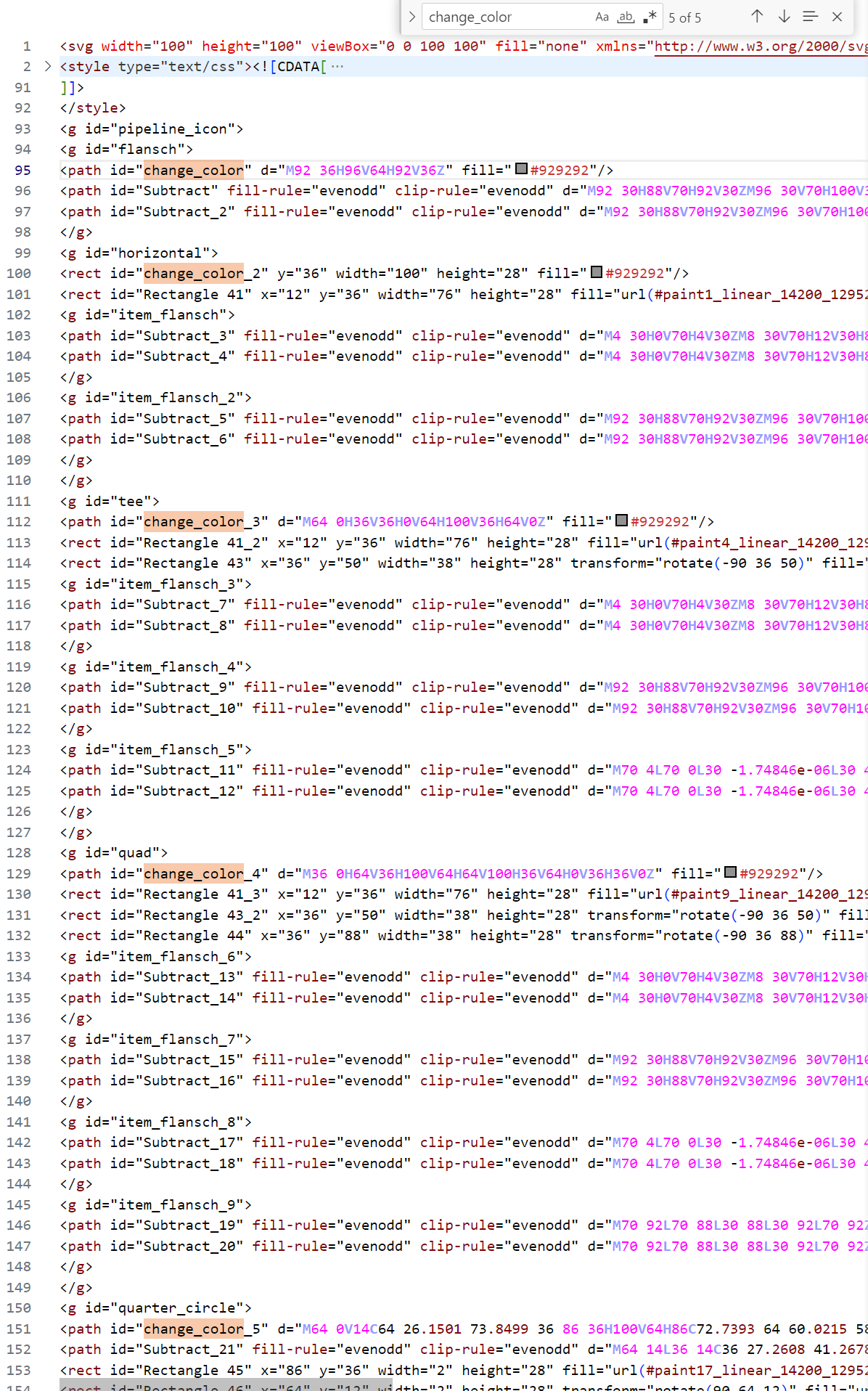
И все данные id нужно переименовать в "change_color" без суффиксов:
<svg width="100" height="100" viewBox="0 0 100 100" fill="none" xmlns="http://www.w3.org/2000/svg"> <style type="text/css"><![CDATA[ /* Состояние SVG при выборе flansch */ #pipeline_icon.flansch #flansch{ display: block; } #pipeline_icon.flansch #horizontal{ display: none; } #pipeline_icon.flansch #tee{ display: none; } #pipeline_icon.flansch #quad{ display: none; } #pipeline_icon.flansch #quarter_circle{ display: none; }
/* Состояние SVG при выборе horizontal */ #pipeline_icon.horizontal #flansch{ display: none; } #pipeline_icon.horizontal #horizontal{ display: block; } #pipeline_icon.horizontal #tee{ display: none; } #pipeline_icon.horizontal #quad{ display: none; } #pipeline_icon.horizontal #quarter_circle{ display: none; }
/* Состояние SVG при выборе tee */ #pipeline_icon.tee #flansch{ display: none; } #pipeline_icon.tee #horizontal{ display: none; } #pipeline_icon.tee #tee{ display: block; } #pipeline_icon.tee #quad{ display: none; } #pipeline_icon.tee #quarter_circle{ display: none; }
/* Состояние SVG при выборе quad */ #pipeline_icon.quad #flansch{ display: none; } #pipeline_icon.quad #horizontal{ display: none; } #pipeline_icon.quad #tee{ display: none; } #pipeline_icon.quad #quad{ display: block; } #pipeline_icon.quad #quarter_circle{ display: none; }
/* Состояние SVG при выборе quarter_circle */ #pipeline_icon.quarter_circle #flansch{ display: none; } #pipeline_icon.quarter_circle #horizontal{ display: none; } #pipeline_icon.quarter_circle #tee{ display: none; } #pipeline_icon.quarter_circle #quad{ display: none; } #pipeline_icon.quarter_circle #quarter_circle{ display: block; } ]]> </style> <g id="pipeline_icon"> <g id="flansch"> <path id="change_color" d="M92 36H96V64H92V36Z" fill="#929292"/> <path id="Subtract" fill-rule="evenodd" clip-rule="evenodd" d="M92 30H88V70H92V30ZM96 30V70H100V30H96Z" fill="#929292"/> <path id="Subtract_2" fill-rule="evenodd" clip-rule="evenodd" d="M92 30H88V70H92V30ZM96 30V70H100V30H96Z" fill="url(#paint0_linear_14200_129525)"/> </g> <g id="horizontal"> <rect id="change_color" y="36" width="100" height="28" fill="#929292"/> <rect id="Rectangle 41" x="12" y="36" width="76" height="28" fill="url(#paint1_linear_14200_129525)"/> <g id="item_flansch"> <path id="Subtract_3" fill-rule="evenodd" clip-rule="evenodd" d="M4 30H0V70H4V30ZM8 30V70H12V30H8Z" fill="#929292"/> <path id="Subtract_4" fill-rule="evenodd" clip-rule="evenodd" d="M4 30H0V70H4V30ZM8 30V70H12V30H8Z" fill="url(#paint2_linear_14200_129525)"/> </g> <g id="item_flansch_2"> <path id="Subtract_5" fill-rule="evenodd" clip-rule="evenodd" d="M92 30H88V70H92V30ZM96 30V70H100V30H96Z" fill="#929292"/> <path id="Subtract_6" fill-rule="evenodd" clip-rule="evenodd" d="M92 30H88V70H92V30ZM96 30V70H100V30H96Z" fill="url(#paint3_linear_14200_129525)"/> </g> </g> <g id="tee"> <path id="change_color" d="M64 0H36V36H0V64H100V36H64V0Z" fill="#929292"/> <rect id="Rectangle 41_2" x="12" y="36" width="76" height="28" fill="url(#paint4_linear_14200_129525)"/> <rect id="Rectangle 43" x="36" y="50" width="38" height="28" transform="rotate(-90 36 50)" fill="url(#paint5_linear_14200_129525)"/> <g id="item_flansch_3"> <path id="Subtract_7" fill-rule="evenodd" clip-rule="evenodd" d="M4 30H0V70H4V30ZM8 30V70H12V30H8Z" fill="#929292"/> <path id="Subtract_8" fill-rule="evenodd" clip-rule="evenodd" d="M4 30H0V70H4V30ZM8 30V70H12V30H8Z" fill="url(#paint6_linear_14200_129525)"/> </g> <g id="item_flansch_4"> <path id="Subtract_9" fill-rule="evenodd" clip-rule="evenodd" d="M92 30H88V70H92V30ZM96 30V70H100V30H96Z" fill="#929292"/> <path id="Subtract_10" fill-rule="evenodd" clip-rule="evenodd" d="M92 30H88V70H92V30ZM96 30V70H100V30H96Z" fill="url(#paint7_linear_14200_129525)"/> </g> <g id="item_flansch_5"> <path id="Subtract_11" fill-rule="evenodd" clip-rule="evenodd" d="M70 4L70 0L30 -1.74846e-06L30 4L70 4ZM70 8L30 8L30 12L70 12L70 8Z" fill="#929292"/> <path id="Subtract_12" fill-rule="evenodd" clip-rule="evenodd" d="M70 4L70 0L30 -1.74846e-06L30 4L70 4ZM70 8L30 8L30 12L70 12L70 8Z" fill="url(#paint8_linear_14200_129525)"/> </g> </g> <g id="quad"> <path id="change_color" d="M36 0H64V36H100V64H64V100H36V64H0V36H36V0Z" fill="#929292"/> <rect id="Rectangle 41_3" x="12" y="36" width="76" height="28" fill="url(#paint9_linear_14200_129525)"/> <rect id="Rectangle 43_2" x="36" y="50" width="38" height="28" transform="rotate(-90 36 50)" fill="url(#paint10_linear_14200_129525)"/> <rect id="Rectangle 44" x="36" y="88" width="38" height="28" transform="rotate(-90 36 88)" fill="url(#paint11_linear_14200_129525)"/> <g id="item_flansch_6"> <path id="Subtract_13" fill-rule="evenodd" clip-rule="evenodd" d="M4 30H0V70H4V30ZM8 30V70H12V30H8Z" fill="#929292"/> <path id="Subtract_14" fill-rule="evenodd" clip-rule="evenodd" d="M4 30H0V70H4V30ZM8 30V70H12V30H8Z" fill="url(#paint12_linear_14200_129525)"/> </g> <g id="item_flansch_7"> <path id="Subtract_15" fill-rule="evenodd" clip-rule="evenodd" d="M92 30H88V70H92V30ZM96 30V70H100V30H96Z" fill="#929292"/> <path id="Subtract_16" fill-rule="evenodd" clip-rule="evenodd" d="M92 30H88V70H92V30ZM96 30V70H100V30H96Z" fill="url(#paint13_linear_14200_129525)"/> </g> <g id="item_flansch_8"> <path id="Subtract_17" fill-rule="evenodd" clip-rule="evenodd" d="M70 4L70 0L30 -1.74846e-06L30 4L70 4ZM70 8L30 8L30 12L70 12L70 8Z" fill="#929292"/> <path id="Subtract_18" fill-rule="evenodd" clip-rule="evenodd" d="M70 4L70 0L30 -1.74846e-06L30 4L70 4ZM70 8L30 8L30 12L70 12L70 8Z" fill="url(#paint14_linear_14200_129525)"/> </g> <g id="item_flansch_9"> <path id="Subtract_19" fill-rule="evenodd" clip-rule="evenodd" d="M70 92L70 88L30 88L30 92L70 92ZM70 96L30 96L30 100L70 100L70 96Z" fill="#929292"/> <path id="Subtract_20" fill-rule="evenodd" clip-rule="evenodd" d="M70 92L70 88L30 88L30 92L70 92ZM70 96L30 96L30 100L70 100L70 96Z" fill="url(#paint15_linear_14200_129525)"/> </g> </g> <g id="quarter_circle"> <path id="change_color" d="M64 0V14C64 26.1501 73.8499 36 86 36H100V64H86C72.7393 64 60.0215 58.7322 50.6448 49.3552C41.2678 39.9785 36 27.2607 36 14V0H64Z" fill="#929292"/> <path id="Subtract_21" fill-rule="evenodd" clip-rule="evenodd" d="M64 14L36 14C36 27.2608 41.2678 39.9785 50.6447 49.3553C60.0215 58.7322 72.7392 64 86 64L86 36C73.8497 36 64 26.1503 64 14Z" fill="url(#paint16_radial_14200_129525)"/> <rect id="Rectangle 45" x="86" y="36" width="2" height="28" fill="url(#paint17_linear_14200_129525)"/> <rect id="Rectangle 46" x="64" y="12" width="2" height="28" transform="rotate(90 64 12)" fill="url(#paint18_linear_14200_129525)"/> <g id="item_flansch_10"> <path id="Subtract_22" fill-rule="evenodd" clip-rule="evenodd" d="M92 30H88V70H92V30ZM96 30V70H100V30H96Z" fill="#929292"/> <path id="Subtract_23" fill-rule="evenodd" clip-rule="evenodd" d="M92 30H88V70H92V30ZM96 30V70H100V30H96Z" fill="url(#paint19_linear_14200_129525)"/> </g> <g id="item_flansch_11"> <path id="Subtract_24" fill-rule="evenodd" clip-rule="evenodd" d="M70 4L70 0L30 -1.74846e-06L30 4L70 4ZM70 8L30 8L30 12L70 12L70 8Z" fill="#929292"/> <path id="Subtract_25" fill-rule="evenodd" clip-rule="evenodd" d="M70 4L70 0L30 -1.74846e-06L30 4L70 4ZM70 8L30 8L30 12L70 12L70 8Z" fill="url(#paint20_linear_14200_129525)"/> </g> </g> </g> <defs> <linearGradient id="paint0_linear_14200_129525" x1="94" y1="30" x2="94" y2="70" gradientUnits="userSpaceOnUse"> <stop stop-color="white" stop-opacity="0"/> <stop offset="0.5" stop-color="white"/> <stop offset="1" stop-color="white" stop-opacity="0"/> </linearGradient> <linearGradient id="paint1_linear_14200_129525" x1="50" y1="36" x2="50" y2="64" gradientUnits="userSpaceOnUse"> <stop stop-color="white" stop-opacity="0"/> <stop offset="0.5" stop-color="white"/> <stop offset="1" stop-color="white" stop-opacity="0"/> </linearGradient> <linearGradient id="paint2_linear_14200_129525" x1="6" y1="30" x2="6" y2="70" gradientUnits="userSpaceOnUse"> <stop stop-color="white" stop-opacity="0"/> <stop offset="0.5" stop-color="white"/> <stop offset="1" stop-color="white" stop-opacity="0"/> </linearGradient> <linearGradient id="paint3_linear_14200_129525" x1="94" y1="30" x2="94" y2="70" gradientUnits="userSpaceOnUse"> <stop stop-color="white" stop-opacity="0"/> <stop offset="0.5" stop-color="white"/> <stop offset="1" stop-color="white" stop-opacity="0"/> </linearGradient> <linearGradient id="paint4_linear_14200_129525" x1="50" y1="36" x2="50" y2="64" gradientUnits="userSpaceOnUse"> <stop stop-color="white" stop-opacity="0"/> <stop offset="0.5" stop-color="white"/> <stop offset="1" stop-color="white" stop-opacity="0"/> </linearGradient> <linearGradient id="paint5_linear_14200_129525" x1="55" y1="50" x2="55" y2="78" gradientUnits="userSpaceOnUse"> <stop stop-color="white" stop-opacity="0"/> <stop offset="0.5" stop-color="white"/> <stop offset="1" stop-color="white" stop-opacity="0"/> </linearGradient> <linearGradient id="paint6_linear_14200_129525" x1="6" y1="30" x2="6" y2="70" gradientUnits="userSpaceOnUse"> <stop stop-color="white" stop-opacity="0"/> <stop offset="0.5" stop-color="white"/> <stop offset="1" stop-color="white" stop-opacity="0"/> </linearGradient> <linearGradient id="paint7_linear_14200_129525" x1="94" y1="30" x2="94" y2="70" gradientUnits="userSpaceOnUse"> <stop stop-color="white" stop-opacity="0"/> <stop offset="0.5" stop-color="white"/> <stop offset="1" stop-color="white" stop-opacity="0"/> </linearGradient> <linearGradient id="paint8_linear_14200_129525" x1="70" y1="6" x2="30" y2="6" gradientUnits="userSpaceOnUse"> <stop stop-color="white" stop-opacity="0"/> <stop offset="0.5" stop-color="white"/> <stop offset="1" stop-color="white" stop-opacity="0"/> </linearGradient> <linearGradient id="paint9_linear_14200_129525" x1="50" y1="36" x2="50" y2="64" gradientUnits="userSpaceOnUse"> <stop stop-color="white" stop-opacity="0"/> <stop offset="0.5" stop-color="white"/> <stop offset="1" stop-color="white" stop-opacity="0"/> </linearGradient> <linearGradient id="paint10_linear_14200_129525" x1="55" y1="50" x2="55" y2="78" gradientUnits="userSpaceOnUse"> <stop stop-color="white" stop-opacity="0"/> <stop offset="0.5" stop-color="white"/> <stop offset="1" stop-color="white" stop-opacity="0"/> </linearGradient> <linearGradient id="paint11_linear_14200_129525" x1="55" y1="88" x2="55" y2="116" gradientUnits="userSpaceOnUse"> <stop stop-color="white" stop-opacity="0"/> <stop offset="0.5" stop-color="white"/> <stop offset="1" stop-color="white" stop-opacity="0"/> </linearGradient> <linearGradient id="paint12_linear_14200_129525" x1="6" y1="30" x2="6" y2="70" gradientUnits="userSpaceOnUse"> <stop stop-color="white" stop-opacity="0"/> <stop offset="0.5" stop-color="white"/> <stop offset="1" stop-color="white" stop-opacity="0"/> </linearGradient> <linearGradient id="paint13_linear_14200_129525" x1="94" y1="30" x2="94" y2="70" gradientUnits="userSpaceOnUse"> <stop stop-color="white" stop-opacity="0"/> <stop offset="0.5" stop-color="white"/> <stop offset="1" stop-color="white" stop-opacity="0"/> </linearGradient> <linearGradient id="paint14_linear_14200_129525" x1="70" y1="6" x2="30" y2="6" gradientUnits="userSpaceOnUse"> <stop stop-color="white" stop-opacity="0"/> <stop offset="0.5" stop-color="white"/> <stop offset="1" stop-color="white" stop-opacity="0"/> </linearGradient> <linearGradient id="paint15_linear_14200_129525" x1="70" y1="94" x2="30" y2="94" gradientUnits="userSpaceOnUse"> <stop stop-color="white" stop-opacity="0"/> <stop offset="0.5" stop-color="white"/> <stop offset="1" stop-color="white" stop-opacity="0"/> </linearGradient> <radialGradient id="paint16_radial_14200_129525" cx="0" cy="0" r="1" gradientUnits="userSpaceOnUse" gradientTransform="translate(86 14) rotate(90) scale(50)"> <stop offset="0.44" stop-color="white" stop-opacity="0"/> <stop offset="0.72" stop-color="white"/> <stop offset="1" stop-color="white" stop-opacity="0"/> </radialGradient> <linearGradient id="paint17_linear_14200_129525" x1="87" y1="36" x2="87" y2="64" gradientUnits="userSpaceOnUse"> <stop stop-color="white" stop-opacity="0"/> <stop offset="0.5" stop-color="white"/> <stop offset="1" stop-color="white" stop-opacity="0"/> </linearGradient> <linearGradient id="paint18_linear_14200_129525" x1="65" y1="12" x2="65" y2="40" gradientUnits="userSpaceOnUse"> <stop stop-color="white" stop-opacity="0"/> <stop offset="0.5" stop-color="white"/> <stop offset="1" stop-color="white" stop-opacity="0"/> </linearGradient> <linearGradient id="paint19_linear_14200_129525" x1="94" y1="30" x2="94" y2="70" gradientUnits="userSpaceOnUse"> <stop stop-color="white" stop-opacity="0"/> <stop offset="0.5" stop-color="white"/> <stop offset="1" stop-color="white" stop-opacity="0"/> </linearGradient> <linearGradient id="paint20_linear_14200_129525" x1="70" y1="6" x2="30" y2="6" gradientUnits="userSpaceOnUse"> <stop stop-color="white" stop-opacity="0"/> <stop offset="0.5" stop-color="white"/> <stop offset="1" stop-color="white" stop-opacity="0"/> </linearGradient> </defs> </svg> |
SVG готов.
7.Приступим к тестовому импорту, чтобы сформировать XML файл:
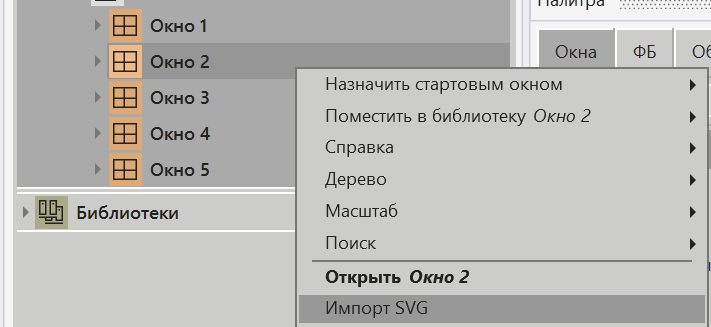
Создаем окно. В контекстном меню окна выбираем Импорт SVG:
В окне импорта создаем два параметра со следующими значениями:
Имя параметра |
Id элемента SVG |
Атрибут элемента SVG |
select |
pipeline_icon |
class |
color |
change_color |
fill |
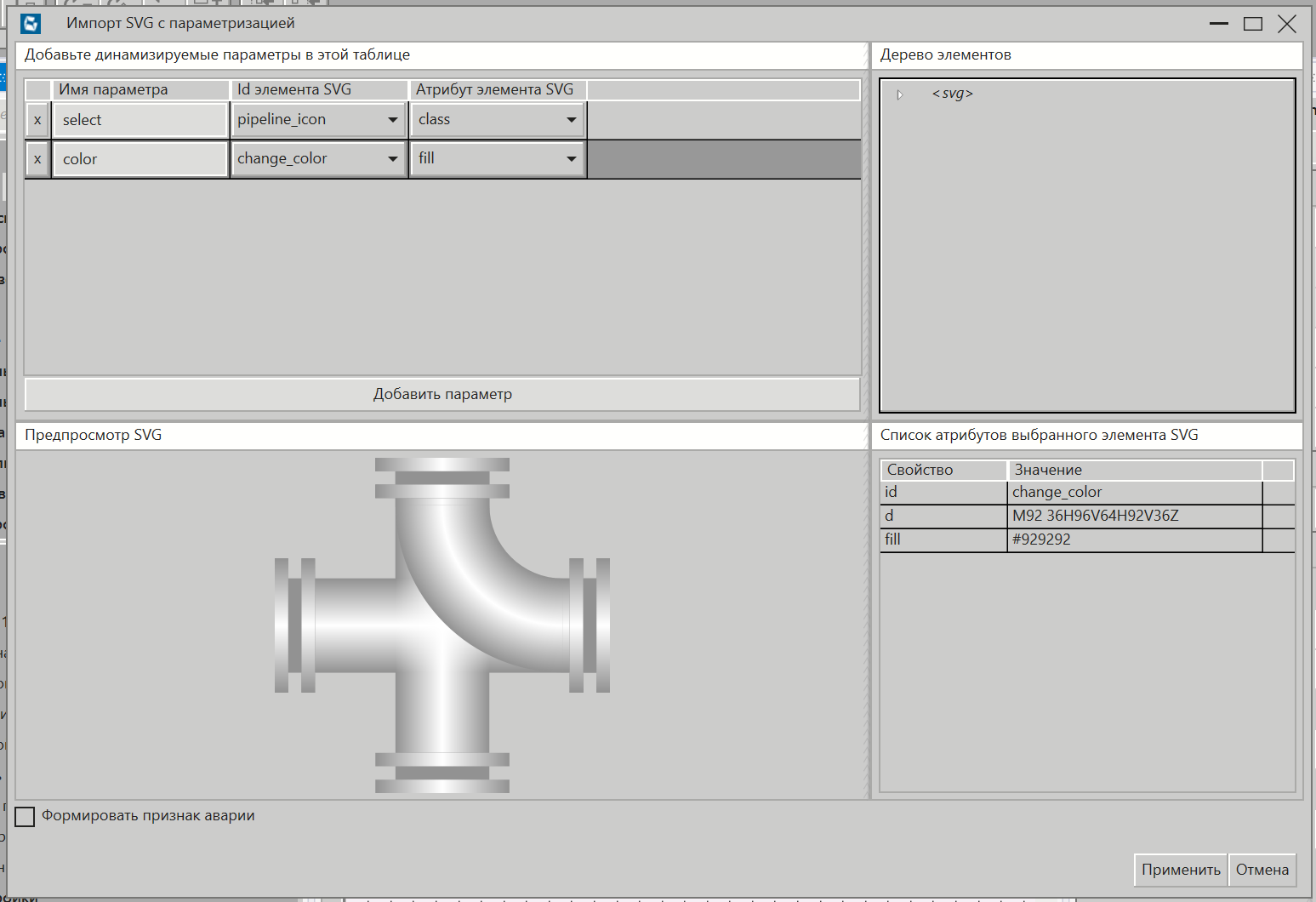
Нажимаем Применить.
8.Открываем XML код:
<?xml version="1.0" encoding="utf-8"?> <SvgDef xmlns:xsi="http://www.w3.org/2001/XMLSchema-instance" xmlns:xsd="http://www.w3.org/2001/XMLSchema" CreateCommonAvary="false"> <ParameterDefs> <ParameterDef DisplayName="select" Type="STRING" ParamType="Attribute" ItemId="pipeline_icon" Path="class" /> <ParameterDef DisplayName="color" Type="HMI.SolidColorType" ParamType="Attribute" ItemId="change_color" Path="fill" /> </ParameterDefs> </SvgDef> |
9.Далее, настроим параметр select, чтобы после импорта появился выпадающий список со списком селекторов:
a.В первую очередь в параметре select, после Path="class" нужно убрать закрывающий тег слэш "/":
<?xml version="1.0" encoding="utf-8"?> <SvgDef xmlns:xsi="http://www.w3.org/2001/XMLSchema-instance" xmlns:xsd="http://www.w3.org/2001/XMLSchema" CreateCommonAvary="false"> <ParameterDefs> <ParameterDef DisplayName="select" Type="STRING" ParamType="Attribute" ItemId="pipeline_icon" Path="class"> <ParameterDef DisplayName="color" Type="HMI.SolidColorType" ParamType="Attribute" ItemId="change_color" Path="fill" /> </ParameterDefs> </SvgDef> |
b.Далее нужно вместо обычного тега слэш создать полноценный закрывающий тег </ParameterDef>:
<?xml version="1.0" encoding="utf-8"?> <SvgDef xmlns:xsi="http://www.w3.org/2001/XMLSchema-instance" xmlns:xsd="http://www.w3.org/2001/XMLSchema" CreateCommonAvary="false"> <ParameterDefs> <ParameterDef DisplayName="select" Type="STRING" ParamType="Attribute" ItemId="pipeline_icon" Path="class">
</ParameterDef> <ParameterDef DisplayName="color" Type="HMI.SolidColorType" ParamType="Attribute" ItemId="change_color" Path="fill" /> </ParameterDefs> </SvgDef> |
c.Между открывающим и закрывающим тегом ParameterDef нужно добавить список тегов Value:
Внутри каждого тега Value будет атрибут DisplayName и контент. В атрибут и контент нужно записать название селектора. И так сделать для каждого тега Value.
<?xml version="1.0" encoding="utf-8"?> <SvgDef xmlns:xsi="http://www.w3.org/2001/XMLSchema-instance" xmlns:xsd="http://www.w3.org/2001/XMLSchema" CreateCommonAvary="false"> <ParameterDefs> <ParameterDef DisplayName="select" Type="STRING" ParamType="Attribute" ItemId="pipeline_icon" Path="class"> <Value DisplayName="flansch">flansch</Value> <Value DisplayName="horizontal">horizontal</Value> <Value DisplayName="tee">tee</Value> <Value DisplayName="quad">quad</Value> <Value DisplayName="quarter_circle">quarter_circle</Value> </ParameterDef> <ParameterDef DisplayName="color" Type="HMI.SolidColorType" ParamType="Attribute" ItemId="change_color" Path="fill" /> </ParameterDefs> </SvgDef> |
XML файл готов.
10.Сделаем повторный импорт SVG:
В окне импорта нажмем Применить:
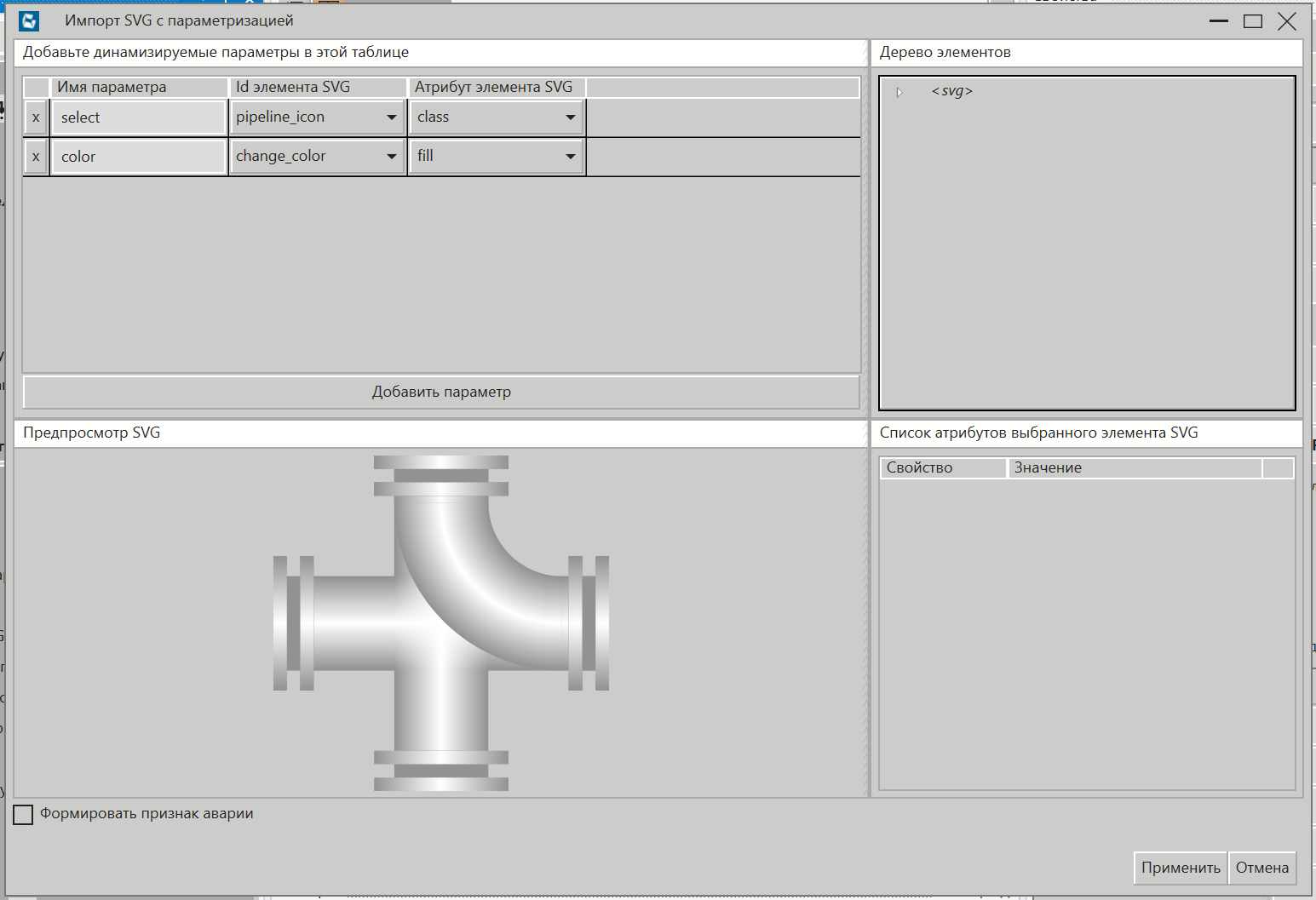
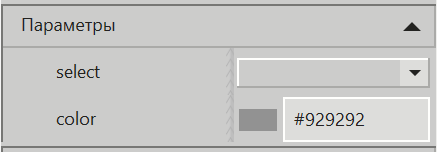
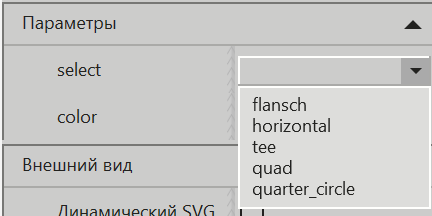
11.Импорт прошел успешно. Видно, что появился параметр со списком селекторов и параметр выбора цвета:
12.Создаем окно для проверки 600x400. Разместим в нем "pipeline_icon", выпадающий список и кнопку выбора цвета:
У выпадающего списка настроим свойство Список со следующим значением:
flansch~horizontal~tee~quad~quarter_circle
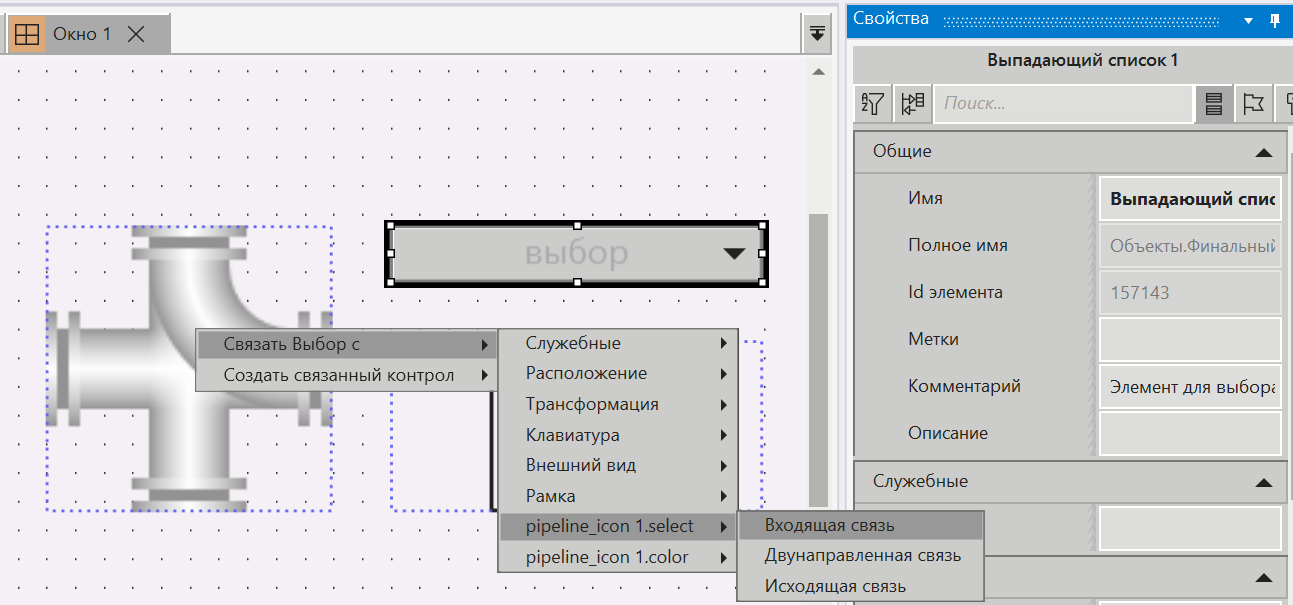
Выпадающий список и его свойство Выбор связываем со свойством select SVG как входящую связь:
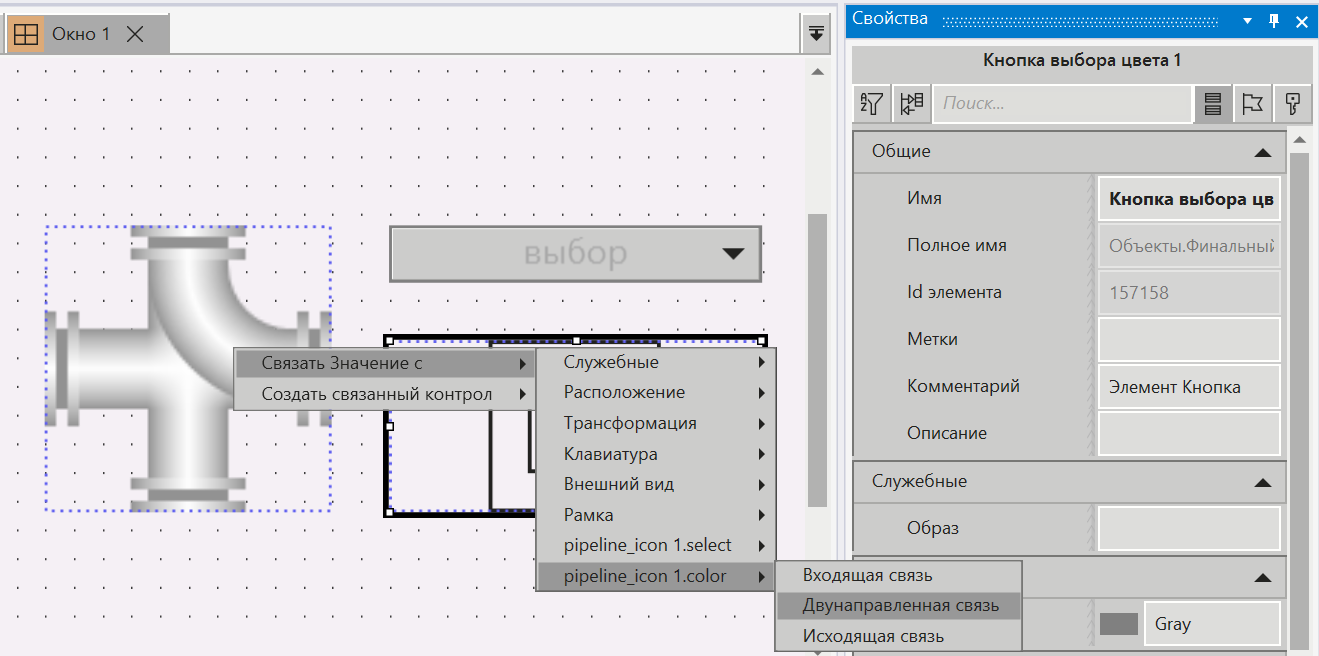
У кнопки выбора цвета свойство Значение связываем со свойством color SVG как двунаправленную связь:
13.Назначаем Окно как стартовое.
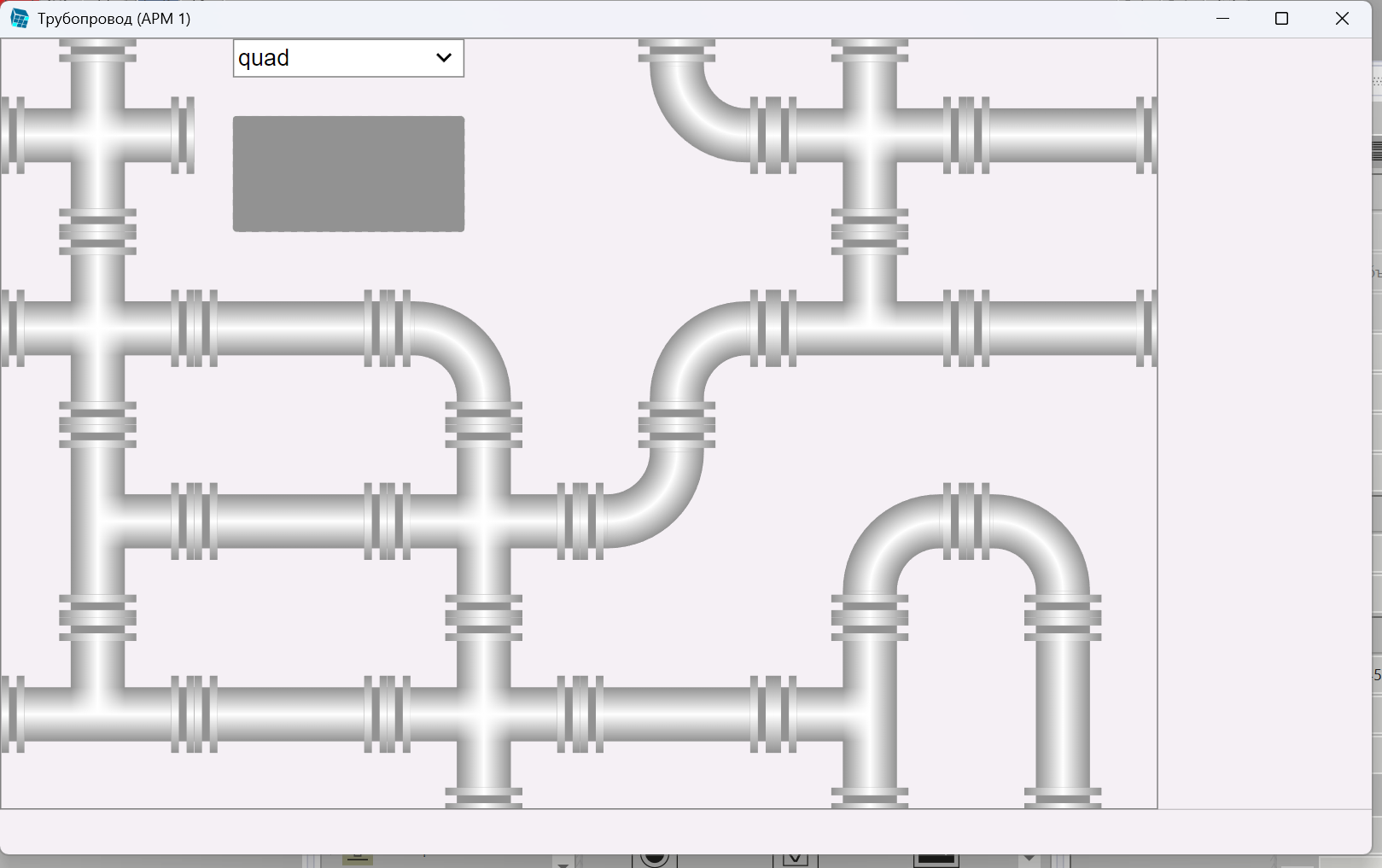
Запускаем проект на исполнение и при регулировании выпадающего списка можно изменить вид трубопровода:
a.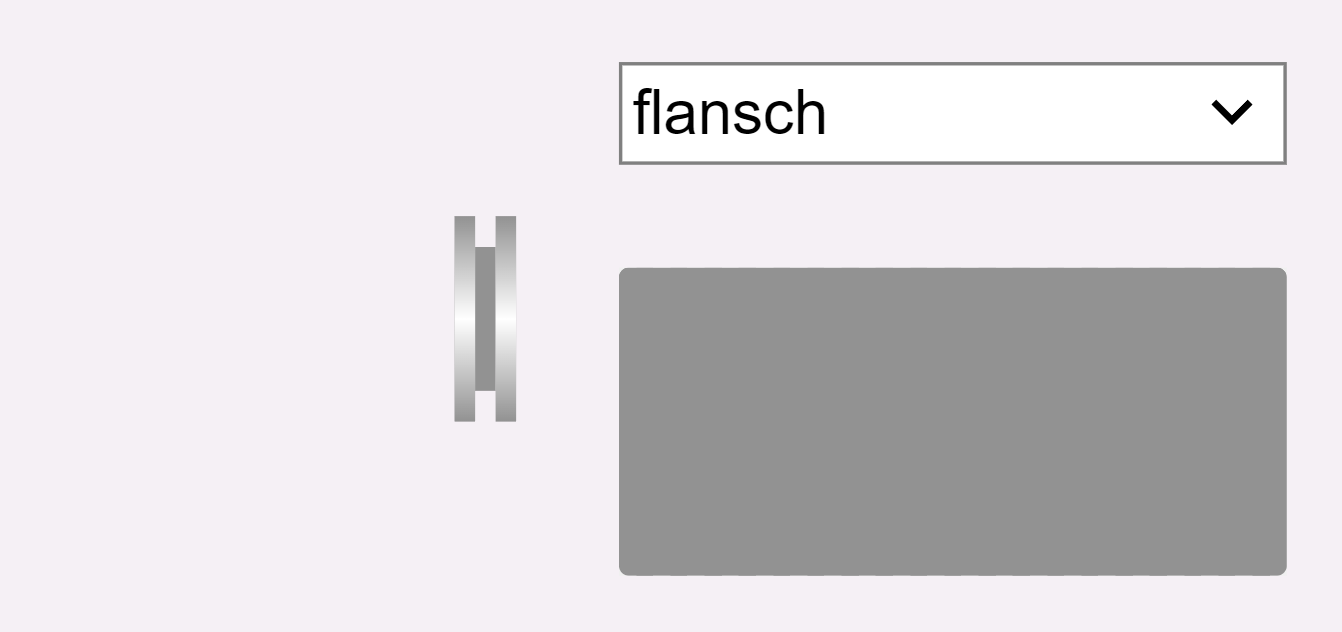
b.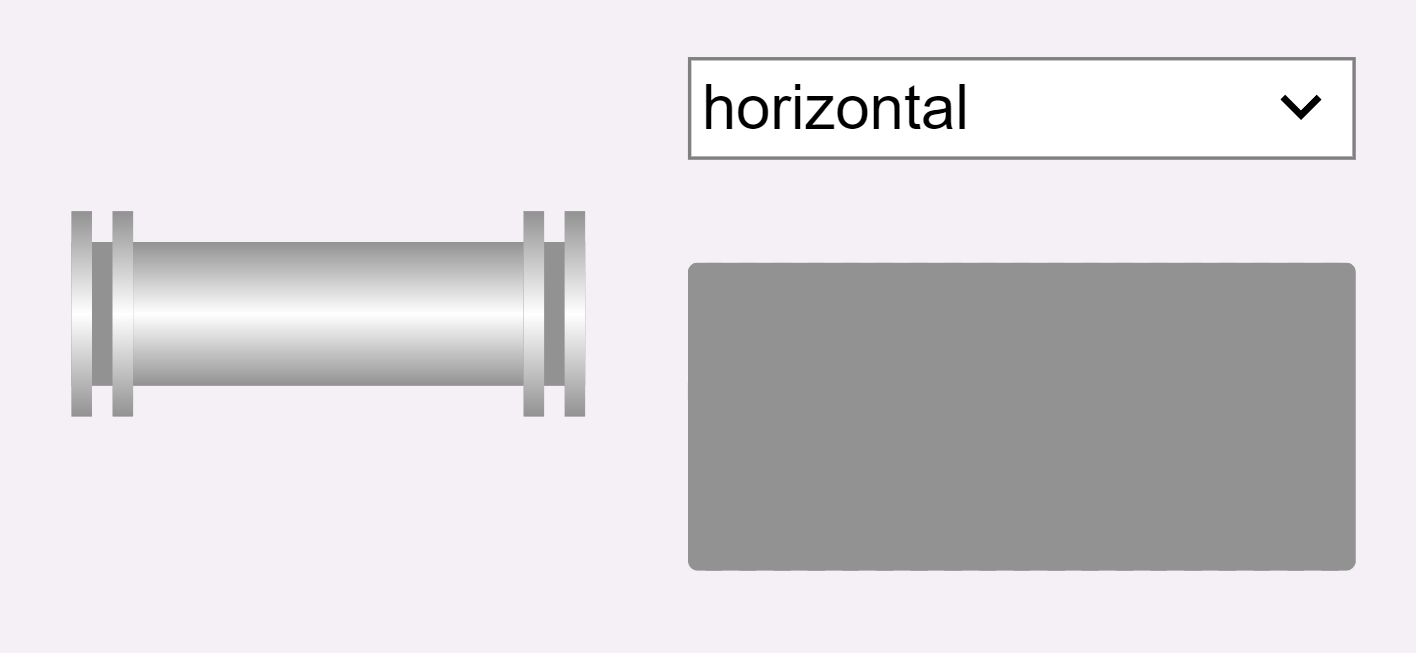
c.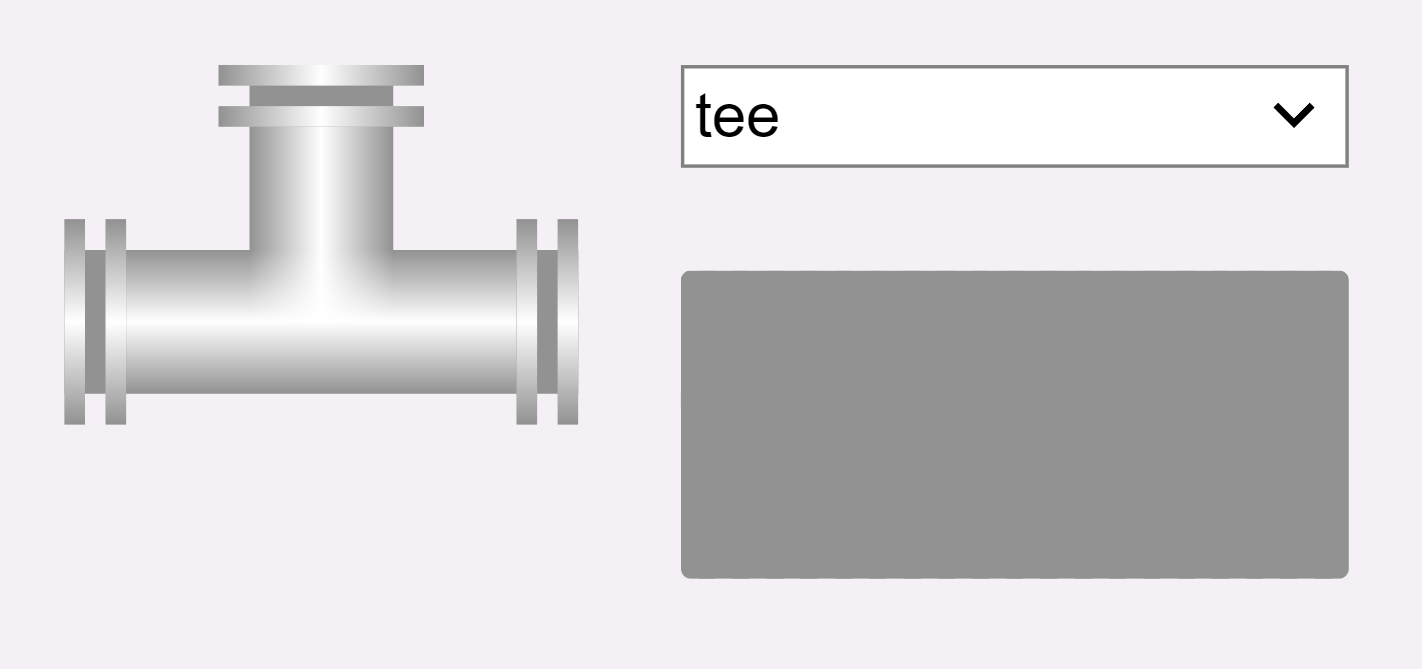
d.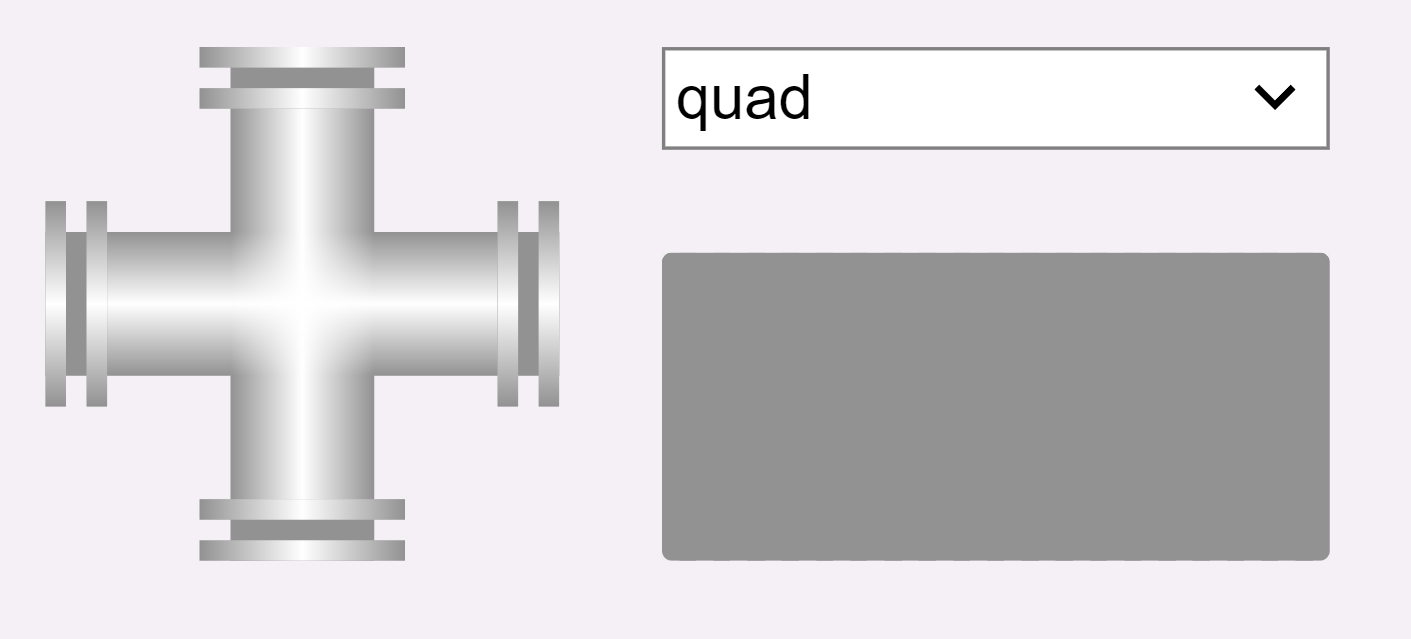
e.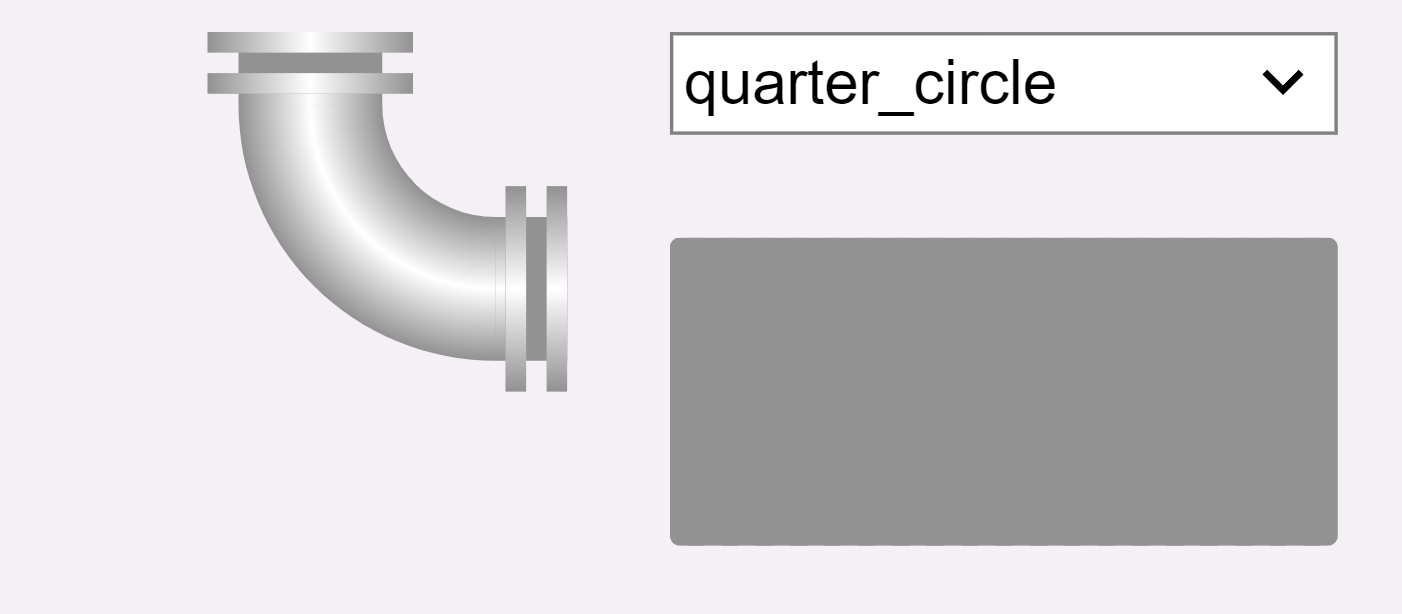
14.При помощи кнопки выбора цвета изменить цвет трубопровода:
a.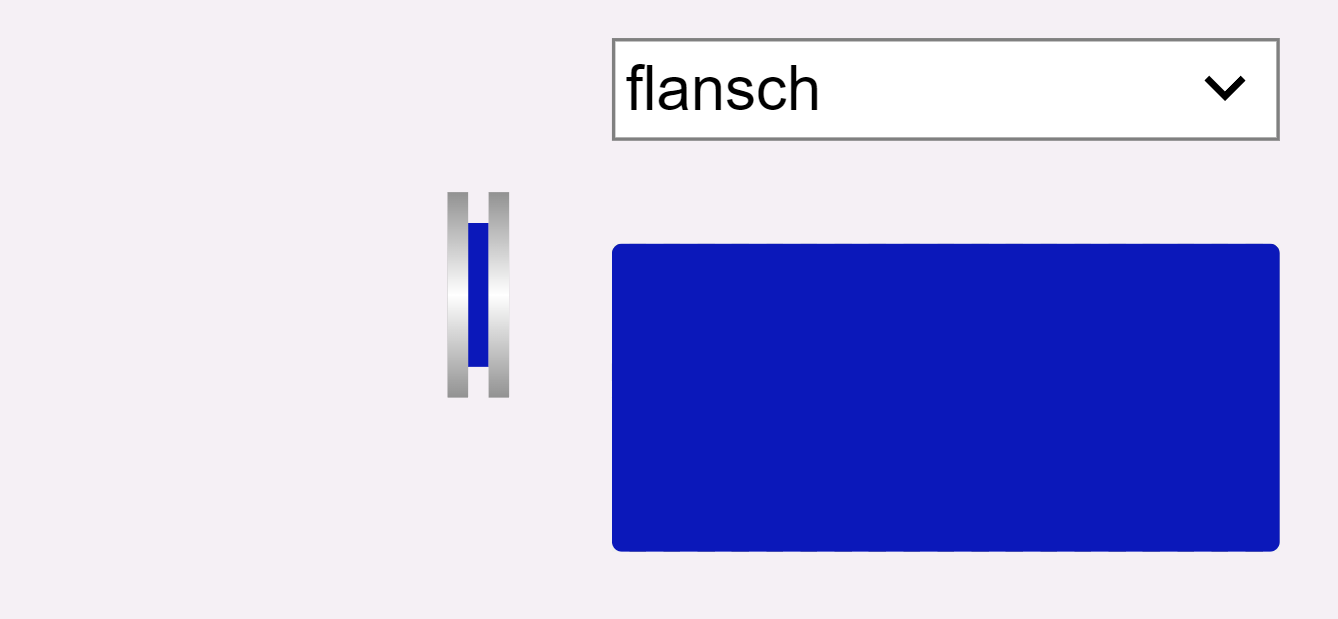
b.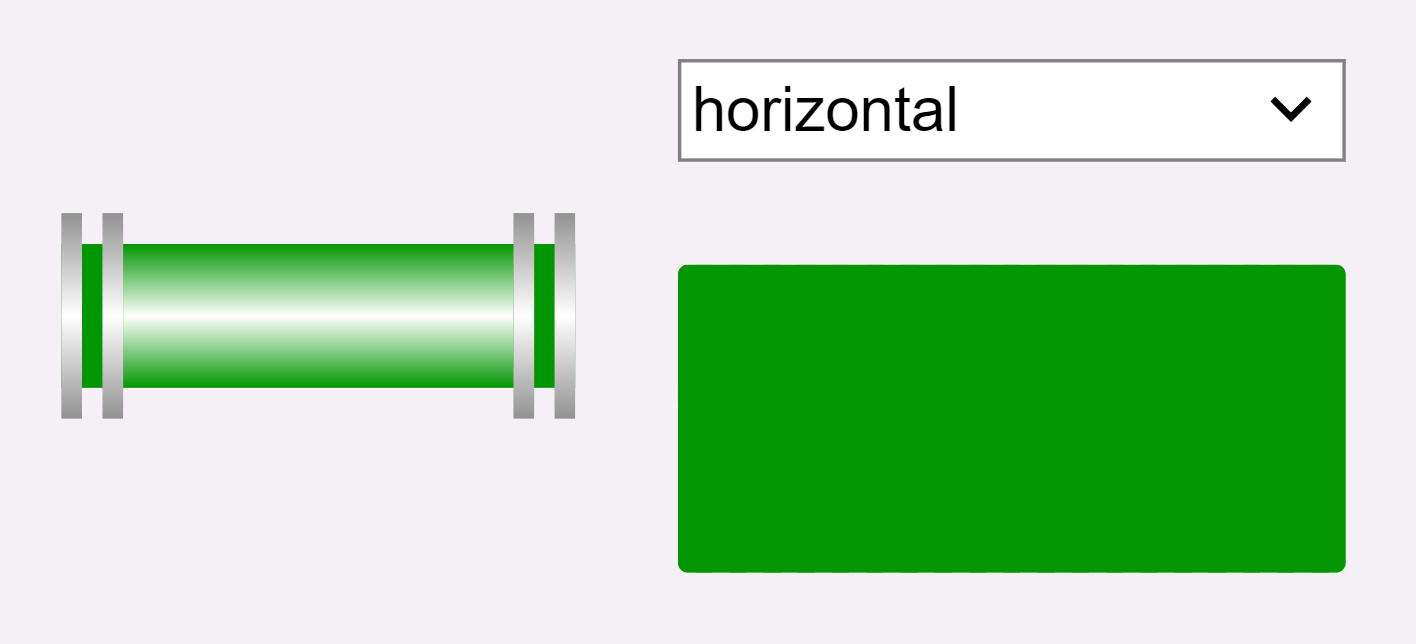
c.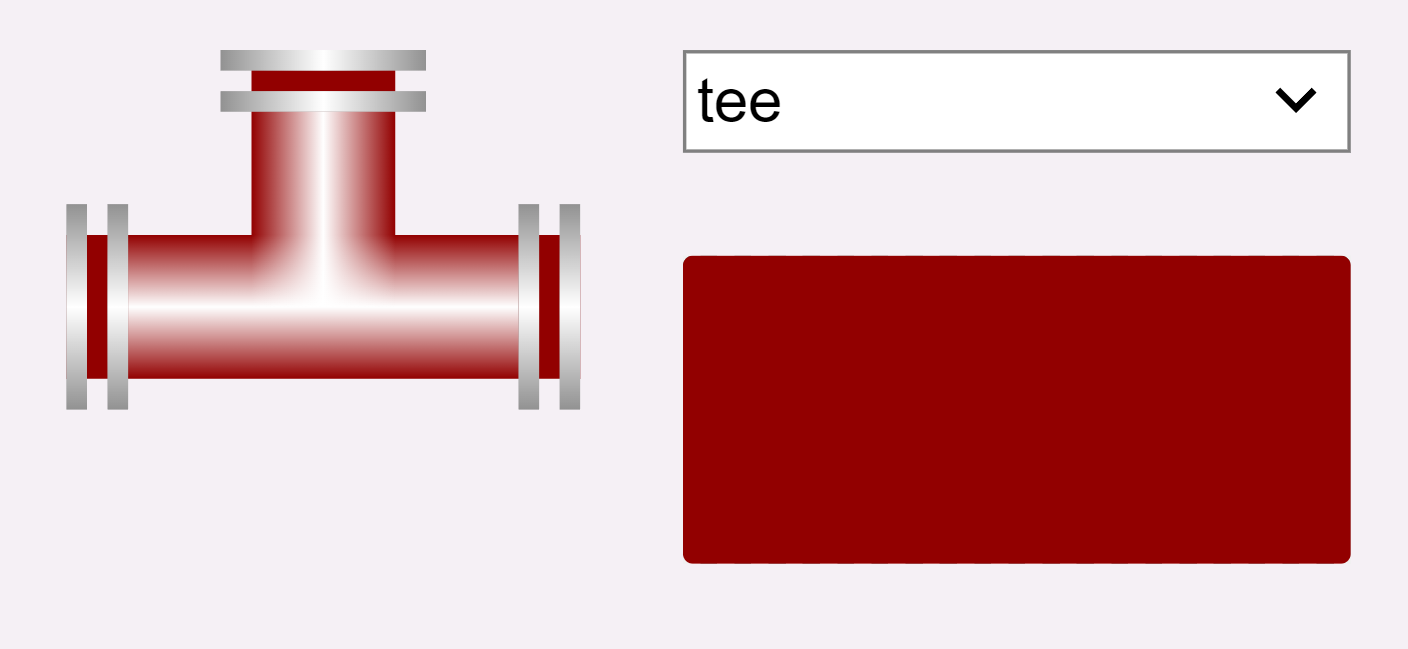
d.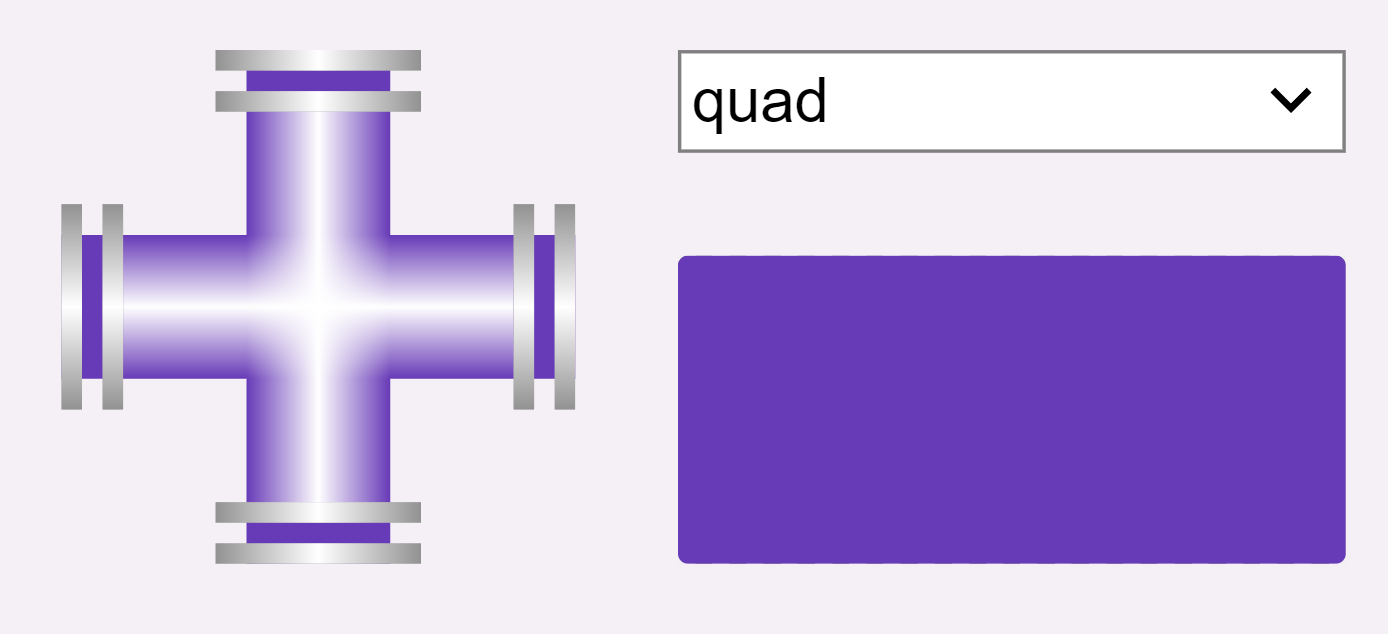
e.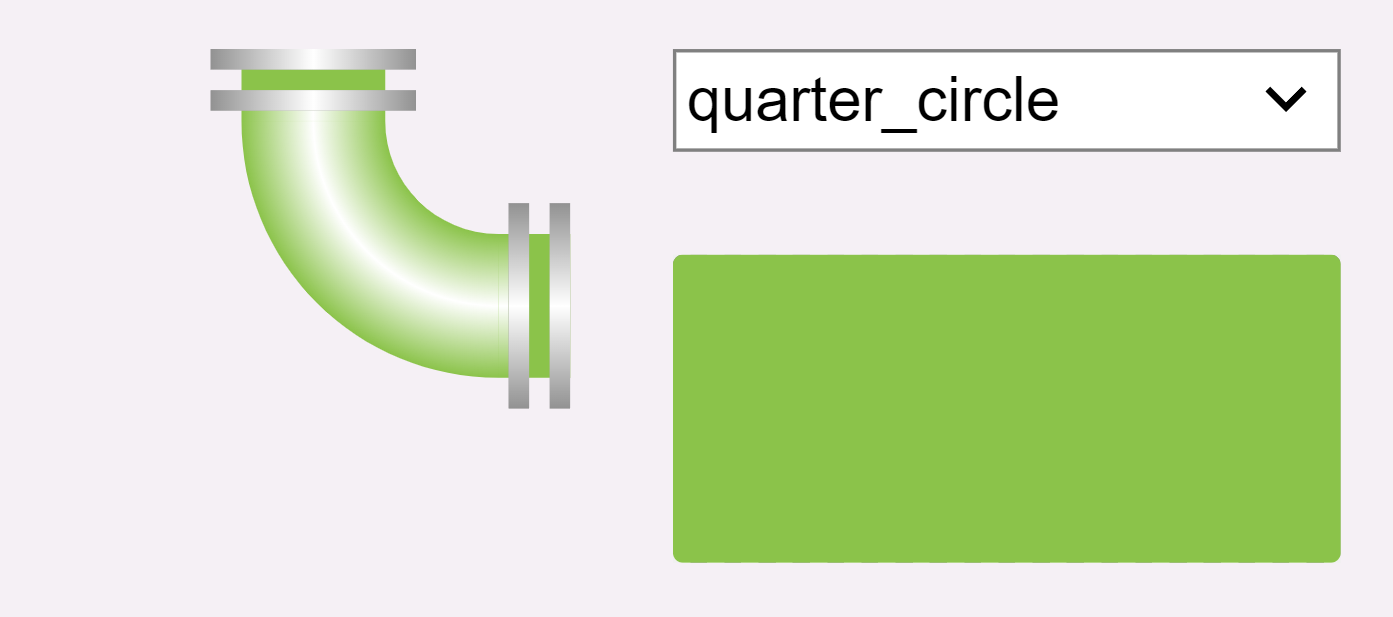
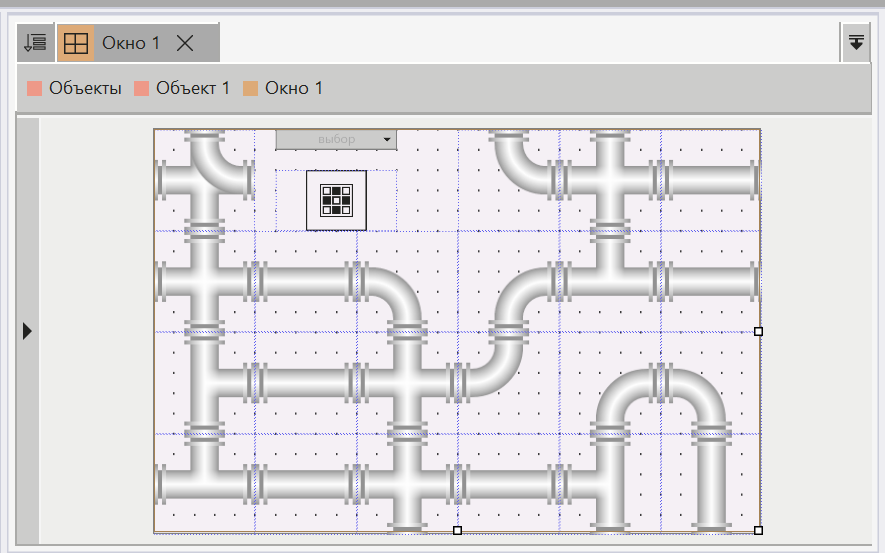
15.В качестве бонуса разместим трубопровод на мнемосхеме, а для поворота труб воспользуемся панелью инструментов MasterSCADA 4D Поворот и Отражение: